
Advanced Quiz Types
Pro Tools pro Pro featurePro feature. Available in Learnomy Pro.
Advanced Quizzes is the Pro module that adds five more question types on top of the six that ship with Learnomy, plus per-question timers, random question pools, essay rubrics, and typeset math in the quiz player. It is a Content-category module you turn on from the Modules page.
What you can do#
- Author five extra question types that Free does not offer: matching, ordering, numeric (with a tolerance), math expression (algebraically-equivalent answers grade correct), and calculated (each attempt gets randomized variable values).
- Grade all five automatically. Numeric answers can be within an absolute or percentage tolerance, and a math answer like
2(x+1)is accepted for2x+2because equivalence is checked by sampling, not string match. - Build a quiz from a random pool: keep 50 questions in the bank and pull 10 at random for each attempt, optionally filtered by category and difficulty.
- Put a separate time limit on any single question, on top of the quiz-level timer. The limit is enforced on the server for every layout, and the focused layout also auto-advances when a question's time runs out.
- Grade essay responses against a rubric of criteria, each scored out of a max you set, from a dedicated admin screen.
- Show LaTeX math written in a question stem, an answer option, or an explanation as typeset math in the quiz player, rendered with a bundled copy of KaTeX.
How to use it#
Step 1 - turn on the module#
Go to Learnomy Settings > Modules, open the Content category, and switch on Advanced Quizzes. The change takes effect immediately - no save button. Until the module is on, the extra question types do not appear in the question editor and the Advanced settings do not render.
Step 2 - author an advanced question type#
Open the Question Bank or a question editor and change the question's Type. With the module active the type picker now also lists Matching, Ordering, Numeric, Math expression, and Calculated. Picking one swaps in that type's answer editor:
- Numeric - enter the correct value and a tolerance (absolute or percent) so near-miss answers still count as correct.
- Math expression - enter the correct expression; the student's answer grades correct if it is algebraically equivalent.
- Calculated - define variables with ranges; each attempt seeds its own values, substitutes them into the stem, and grades against the freshly computed answer.
- Matching and Ordering - author the pairs or the correct order; both are graded automatically.
Step 3 - open the Advanced settings on a quiz#
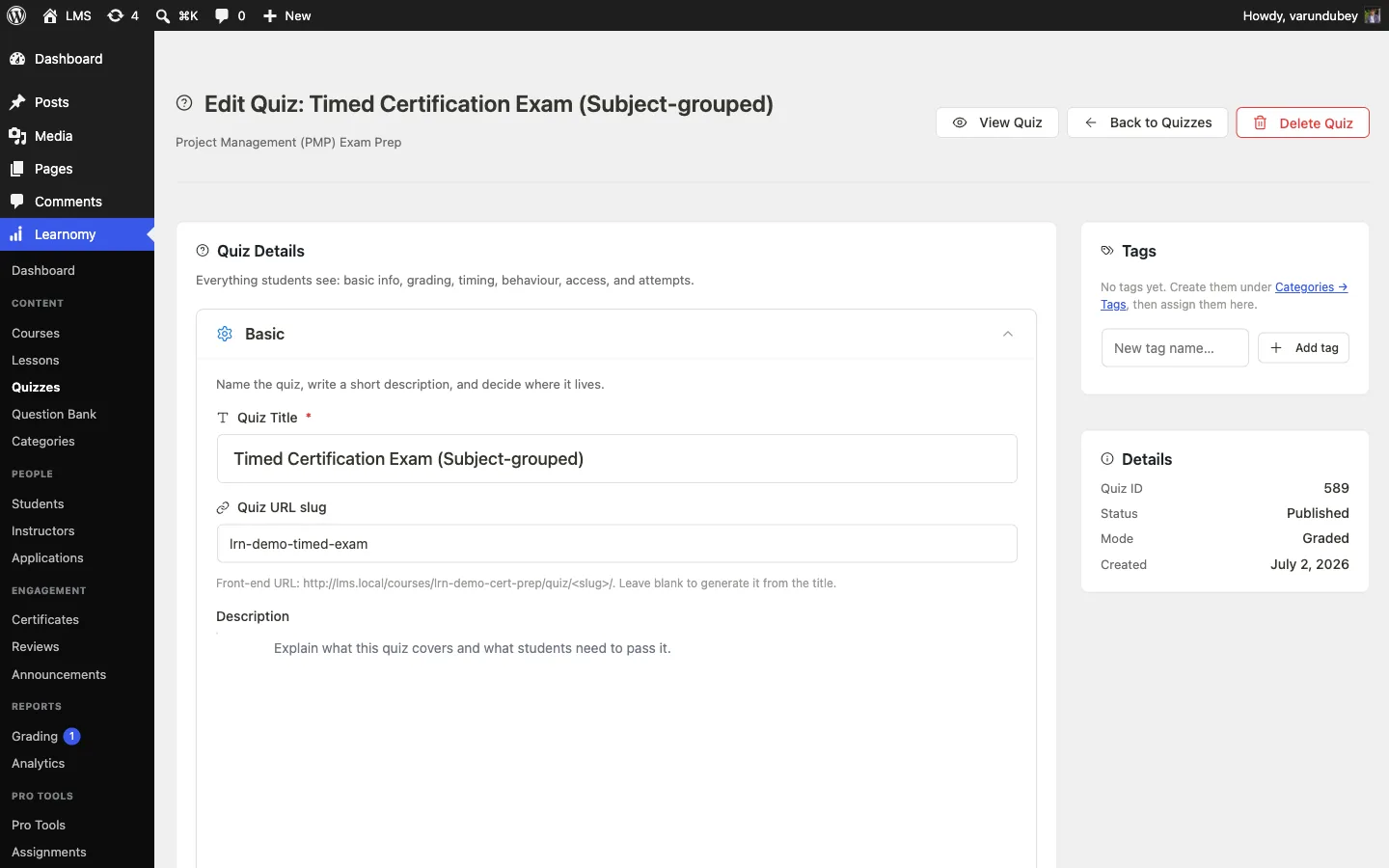
Edit a saved quiz. In the Pro frontend builder the quiz drawer has an Advanced accordion (badged Pro); the same panel also appears in the wp-admin quiz editor. It holds three cards: Question pool, Per-question timers, and Essay rubrics.
Step 4 - set up a random pool (optional)#
In the Question pool (random selection) card, choose one or more Categories, set the Min difficulty and Max difficulty, and use Pick how many questions to set how many are drawn per attempt. Use Refresh preview to see how many questions match, then Save pool. If fewer questions match than you asked for, the quiz draws as many as are available. Leave the filters empty to draw from every question.
Step 5 - add per-question timers (optional)#
In the Per-question timers card, set a separate time limit on any question. Leave a question empty for no limit of its own, and the quiz-level timer still applies. The limit is enforced when the attempt is submitted.
Step 6 - define essay rubrics (optional)#
In the Essay rubrics card, define grading criteria for each essay question, each with a maximum point value. Graders then score each criterion against that max.
Step 7 - grade essay responses#
When a student submits an essay answer, grade it from Learnomy > Grading. That menu item shows a count of responses awaiting grading. The screen lists pending responses and lets a grader score each one inline against the rubric you defined.
Settings & options#
Random pool config, per-question timers, essay rubrics, and conditional-logic rules are all real, saved, configurable settings - not placeholders. They are stored in a dedicated database table (lrn_pro_aq_config, one row per quiz/question/slot, keyed by config type and object id) rather than as individual WordPress options. Sites upgrading from an older version migrate their existing learnomy_quiz_{type}_{id} option rows into the table automatically, one time, the first time the module runs after the upgrade - nothing to do on your end. The new question types reuse existing answer columns, so none of this touches the question or answer tables.
| What | Config type |
|---|---|
| Random pool config (categories, difficulty range, count) | pool, per quiz |
| Per-question (per-slot) time limits | slot_timer, per quiz slot |
| Essay rubric criteria and max points | rubric, per question |
| Conditional-visibility rules | conditions, per question (see note below) |
| Numeric / math / calculated answer config | Reuses Free's answer row content (correct value) plus the overloaded group_id string: tol: for numeric tolerance, domain: for math sampling, range: for calculated variables |
The module itself is toggled on the Learnomy Settings > Modules page (Content category, slug advanced-quizzes); it is off by default. Managing pools, timers, and rubrics requires the learnomy_manage_quizzes capability.
Conditional logic#
Conditional logic - showing or skipping a question based on how the student answered an earlier one - is a planned feature, not yet available to authors. The quiz drawer's Conditional logic card shows a Coming soon badge instead of an authoring form: the underlying storage exists (rules save through the same lrn_pro_aq_config table as pools and rubrics), but the quiz player does not yet re-evaluate the question set as a student answers, so a saved rule cannot be trusted to fire correctly. The authoring controls return once that runtime piece ships.
For developers#
Filters:
learnomy_question_types- the single registry the module hooks to add its five type slugs (matching,ordering,numeric,math,calculated) asslug => label. It is idempotent; an existing entry for a slug wins.learnomy_quiz_auto_grade_result- re-scores an attempt to include the Pro types, dispatching each response to the matchingGrader::grade_*method.learnomy_pro_quiz_filter_questions- used at attempt start to inject the random pool draw (priority 5); the conditional-logic listener is registered on the same filter at priority 10.learnomy_quiz_player_context- two listeners: one injects per-question timer data, the other substitutes a calculated question's{var}placeholders with this attempt's deterministic values before render.
Actions:
learnomy_pro_quiz_advanced_settings- fired by the Pro frontend builder; the module renders the Advanced accordion here.learnomy_quiz_editor_advanced_panel- the wp-admin quiz editor's seam for the same panel, so the front-end builder, wp-admin, and REST stay in lockstep.learnomy_quiz_submitted- the module enforces per-slot timers on submit here.learnomy_quiz_graded- fired withattempt_idandscoreafter grading.
REST routes (namespace learnomy-pro/v1, all requiring learnomy_manage_quizzes):
GET|POST /quizzes/{id}/pool-config- read or save the random pool configuration.POST /quizzes/{id}/pool-preview- preview how many questions the current filters match.GET /quizzes/{id}/slot-contextandGET|POST /quiz-slots/{id}/timer- read slot context and read or set a per-question timer.GET|POST /questions/{id}/rubric- read or save an essay question's rubric.GET|POST /questions/{id}/conditions- read or save conditional rules (authoring UI deferred).POST /responses/{id}/rubric-grade- submit a rubric score for a response.GET /question-categories- list categories for the pool filter.