
Enabling Features and Modules
Free & Pro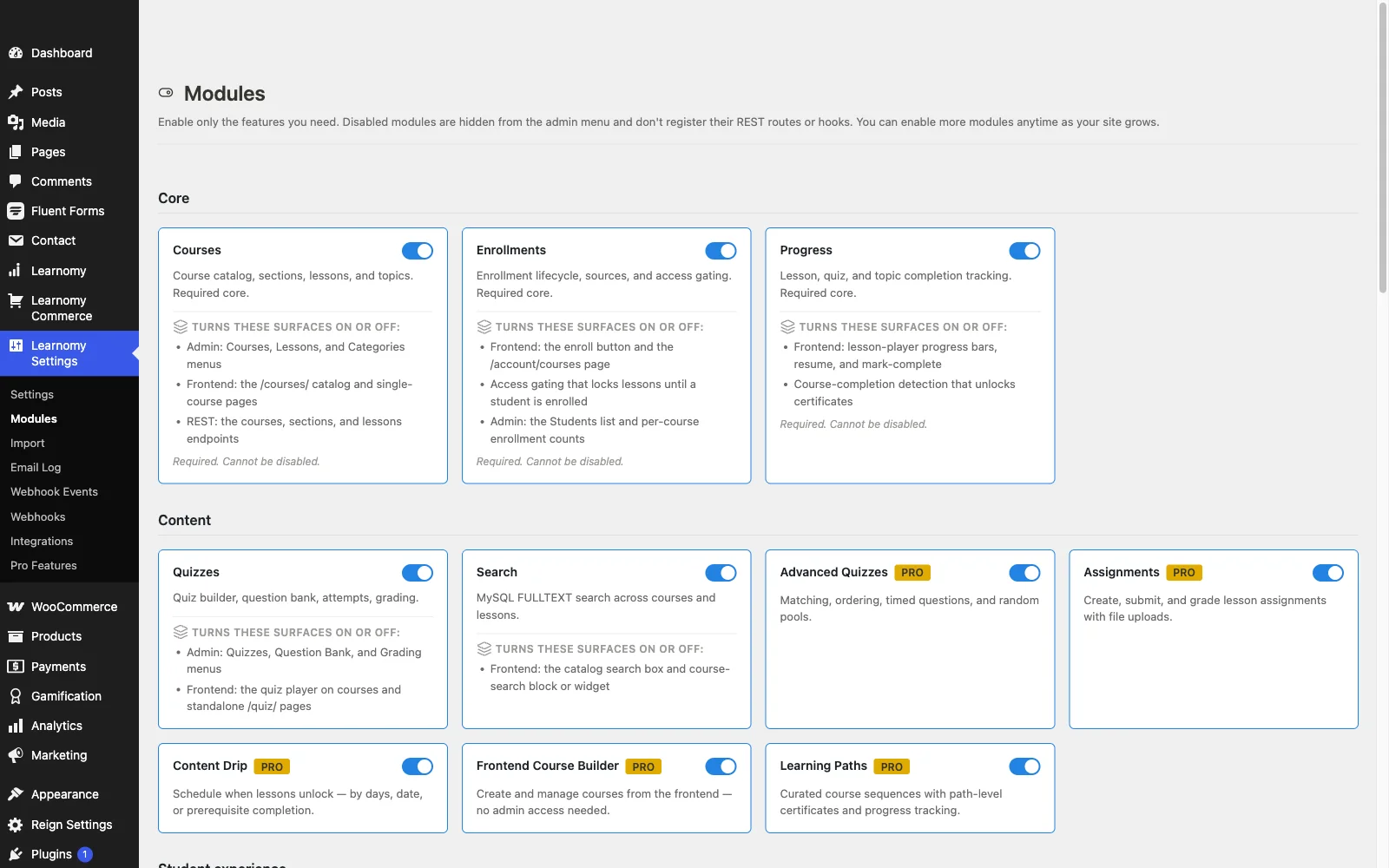
The Modules page lets you turn individual Learnomy features on or off. Disabled modules are completely removed from the admin sidebar, and their REST routes and hooks are not registered -- so the site only loads what you actually use.
Overview
Go to Learnomy Settings > Modules to reach this page. Modules are organized into nine categories, always in this order: Core, Content, Student experience, Commerce, Community, Integrations, Standards & interop, Reporting, and Operations. A category with nothing in it is not shown. Each module shows a toggle switch, and a card whose toggle is locked always says why - see When a toggle is locked below.
The "Student experience" heading is named after your Student label, so renaming Student to Learner makes it read "Learner experience".
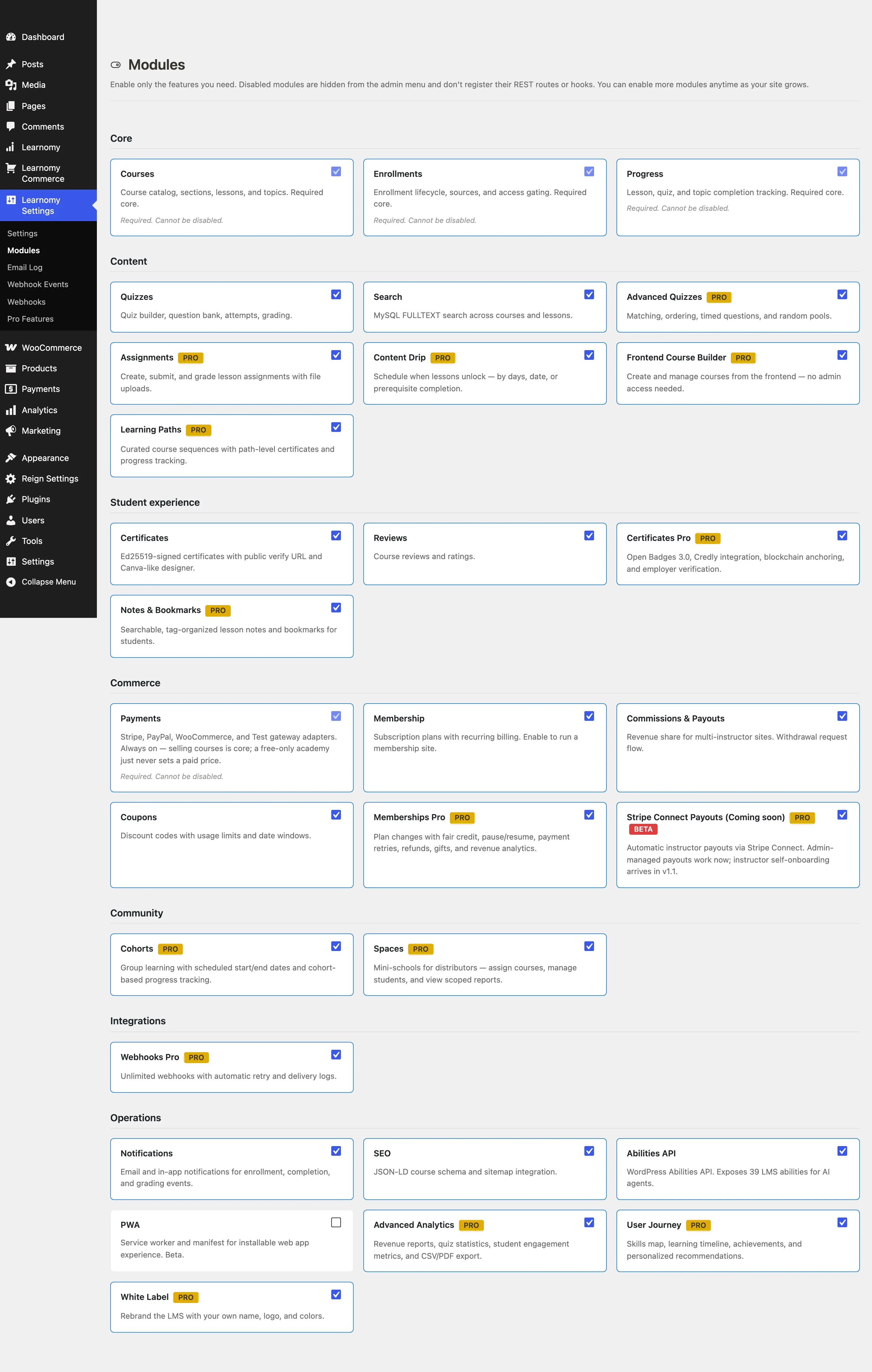
The page header describes what disabling a module does: "Disabled modules are hidden from the admin menu and don't register their REST routes or hooks. You can enable more modules anytime as your site grows."
Toggling a module on or off
Go to Learnomy Settings > Modules.

Find the module you want to change. Each card shows the module name, a description, and a toggle switch in the top-right corner.
Click the toggle switch. The card border changes immediately to confirm the new state. A toast notification at the bottom of the screen confirms the save.
Reload the page. Admin sidebar items controlled by that module appear or disappear.
Changes take effect immediately -- no manual save button is needed. Toggling a module off does not delete any data; it only removes the UI and stops registering routes and hooks. Toggling it back on restores everything.
When a toggle is locked
A locked toggle is never silent. The card always prints the reason underneath, and there are three of them:
| Note on the card | What it means | What to do |
|---|---|---|
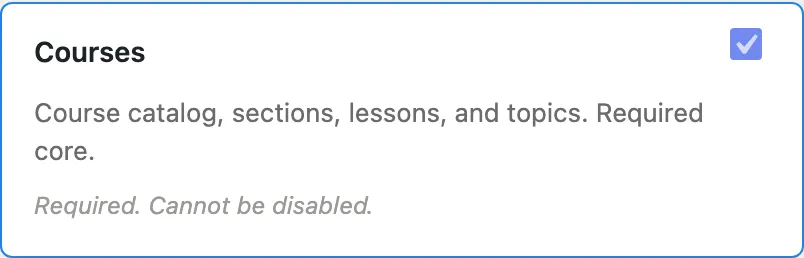
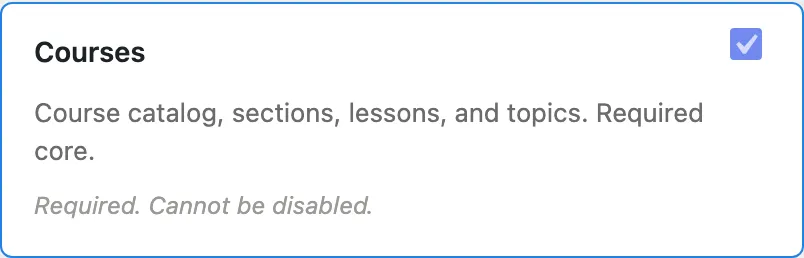
| Required. Cannot be disabled. | A Core module the rest of the plugin is built on. | Nothing. Courses, Enrollments, Progress and Payments are always on. |
| Requires Learnomy Pro. Install and activate Pro to enable this module. | A Pro module listed so you can see the feature exists, on a site where Pro is not active. | Install and activate Learnomy Pro. |
| Requires the (module name) module. Turn that on first to enable this one. | Dependency locking: this module extends another one, and that other one is currently off. | Switch the named module on. This card's toggle unlocks on the next page load. |
Dependency locking exists so a toggle never lies to you. A module that extends another does nothing at all while its parent is off, so offering a live switch there would store a choice and turn nothing on. Locking the toggle and naming the module it needs is the honest version of that state.
Your choice is remembered. Turning off a parent module does not erase what you had chosen for the modules that depend on it. Learnomy keeps the stored setting and simply stops running the feature, so switching the parent back on restores the dependent module to exactly the state you left it in.
The card tells you the name of the module you need, not a slug, so you can find it in the grid. In the shipped Free and Pro set the case you are most likely to meet is Memberships Pro, which extends Free's Membership module and stays locked until Membership is on.
Module categories and what they contain
Core
Core modules are required and cannot be disabled. Their toggles are locked.
| Module | What it does |
|---|---|
| Courses | Course catalog, sections, lessons, and topics. The foundation everything else builds on. |
| Enrollments | Enrollment lifecycle, sources (free, purchase, membership, manual), and access gating. |
| Progress | Lesson, quiz, and topic completion tracking. |
Content
| Module | What it does |
|---|---|
| Quizzes | Quiz builder, question bank, six question types, attempts, and grading inbox. Enabling this adds Quizzes, Question Bank, and Grading to the Learnomy menu. |
| Search | MySQL FULLTEXT search across course titles, descriptions, and lesson content. |
| Advanced Quizzes (Pro) | Five more question types, timed questions, random pools, rubric grading, and KaTeX math in the player. |
| Content Drip (Pro) | Schedule when lessons unlock, by days, date, or prerequisite completion. |
| Learning Paths (Pro) | Curated, ordered course sequences with sequential gating and a path-level certificate. |
| Assignments (Pro) | Lesson-attached assignments with text submission and inline instructor grading. |
| Frontend Course Builder (Pro) | Instructors create and manage courses entirely from the front end, with no wp-admin access. |
| AI Authoring (Pro) | AI-assisted course, lesson, and question drafting on top of WordPress core AI Connectors. |
Student experience
| Module | What it does |
|---|---|
| Certificates | Ed25519-signed completion certificates. Includes a Canva-like certificate designer and a public verify URL at /verify/{uuid}/. |
| Reviews | Course star ratings and written reviews from enrolled students. |
| Certificates Pro (Pro) | Open Badges 3.0, Credly issuing, a tamper-evident certificate hash registry, and employer verification. |
| Notes & Bookmarks (Pro) | Searchable, tag-organized lesson notes and bookmarks, with an account hub. |
Commerce
| Module | What it does |
|---|---|
| Payments | Stripe, PayPal, WooCommerce, and Test gateway adapters. Required and always on -- a free-only academy simply never sets a paid price on a course, so its toggle stays locked. |
| Membership | Recurring subscription plans that grant access to a library of courses. Enabling this shows the LMS Commerce menu. |
| Commissions and Payouts | Revenue split for multi-instructor sites. Instructors can request withdrawals of their earned share. |
| Coupons | Discount codes with per-use limits and date windows. |
| Memberships Pro (Pro) | Plan changes with fair credit, pause and resume, payment retries, refunds, gifts, and revenue analytics. Locked until the Free Membership module is on. |
| Stripe Connect Payouts (Pro) | Instructor payouts through Stripe Connect, with KYC pre-flight and self-onboarding. |
Enabling any Commerce module (Membership, Commissions, or Coupons) makes the LMS Commerce top-level menu appear in the admin sidebar.
Community
Community modules are contributed by Learnomy Pro via the learnomy_modules_catalog filter. They carry a PRO badge on the card.
Pro feature. Available in Learnomy Pro.
| Module | What it does |
|---|---|
| Learning Spaces (Pro) | Distributor mini-schools: assign courses, manage members and view reports scoped to each space. Not a forum - see Spaces. |
| Cohorts (Pro) | Group learning with scheduled start and end dates, and cohort-scoped enrollment. |
Integrations
Pro feature. Available in Learnomy Pro.
| Module | What it does |
|---|---|
| Webhooks Pro (Pro) | Unlimited outgoing webhooks with automatic retry and delivery logs. |
Learnomy also ships bridges that are not toggles: WP Fusion switches itself on when its companion plugin is active, and Credly badge issuing is part of the Certificates Pro module rather than a module of its own.
Standards and interop
Pro feature. Available in Learnomy Pro.
Grouped together because they tend to be one buying decision rather than five.
| Module | What it does |
|---|---|
| SCORM (Pro) | Upload SCORM 1.2 / 2004 packages as a lesson type. Completion and score flow into normal progress. |
| xAPI (Pro) | Emit xAPI statements to your Learning Record Store as learners enroll, complete lessons, and answer quizzes. |
| QTI (Pro) | Import IMS QTI 2.x / 3.0 assessments as native questions and quizzes, played and graded by the built-in quiz engine. |
| H5P (Pro) | Attach existing H5P interactive content as a lesson, bridging to the official H5P plugin. |
| LTI 1.3 (Pro) | Let Canvas, Moodle or Blackboard launch Learnomy courses as an LTI 1.3 tool, with grade passback. Marked Beta. |
Reporting
Pro feature. Available in Learnomy Pro.
| Module | What it does |
|---|---|
| Advanced Analytics (Pro) | Revenue trends, course performance, student engagement, quiz statistics, and CSV/PDF exports. |
| Gradebook (Pro) | A weighted per-course grade built from quiz, assignment, and SCORM scores, with instructor overrides and CSV export. |
| User Journey (Pro) | Skill scores, a learning timeline, achievements, and personalized recommendations. |
Operations
| Module | What it does |
|---|---|
| Notifications | Email and in-app notifications for enrollment, completion, grading, and payment events. Enabling this adds Announcements to the Learnomy menu and Email Log to Learnomy Settings. |
| SEO | JSON-LD Course schema markup and sitemap integration for search engines. |
| Abilities API | Exposes 54 LMS actions across 8 categories through the WordPress Abilities API, so AI assistants and agents like ChatGPT and Claude can discover and operate your academy with full permission checks. See AI Agents and the Abilities API for the full action catalog. |
| PWA | Service worker and web app manifest for an installable PWA experience. Its card still describes itself as Beta even though it no longer carries the Beta pill. |
| White Label (Pro) | Rebrand the LMS with your own name, logo, and colors. |
Pro module badges
When Learnomy Pro is installed, Pro module cards appear alongside Free modules in the grid. Each Pro card shows a PRO pill next to the module name. Clicking the PRO pill opens the "What's in Pro" catalog page.
When Pro is not installed, a one-time dismissible notice at the top of the page says Learnomy Pro provides additional modules (analytics, cohorts, learning paths, gradebook, standards, and more). This notice is per-user -- each admin can dismiss it independently. It does not appear again after dismissal.
Beta modules
Some modules are marked BETA with an orange pill. Beta modules are functional but may have rough edges. As of 1.9.4 the only one left is Pro's LTI extension; every Free module, the other standards (SCORM, xAPI, QTI, H5P) and the Frontend Builder now ship as stable. You can enable and use a Beta module; expect occasional updates that change behavior.
Tips
- Disabling a module does not delete your data. If you disable Quizzes, existing quiz attempts and questions are preserved. Re-enabling the module makes them accessible again.
- The setup wizard in Step 2 lets you pick a preset that sets a good starting module configuration. You are not locked into that choice -- use the Modules page to fine-tune anytime.
- If you visit a Commerce page URL (for example,
?page=learnomy-memberships) when no Commerce module is enabled, Learnomy redirects you to the Modules page with a notice instead of showing a blank screen. - A module card that is switched off but still owes people something says so, under Switched off, but still owed. Disabling Membership does not stop eleven active subscribers from being billed, and the card keeps telling you that after the fact.