
Exam integrity signals
Quizzes and GradingMore video tutorials for this guide
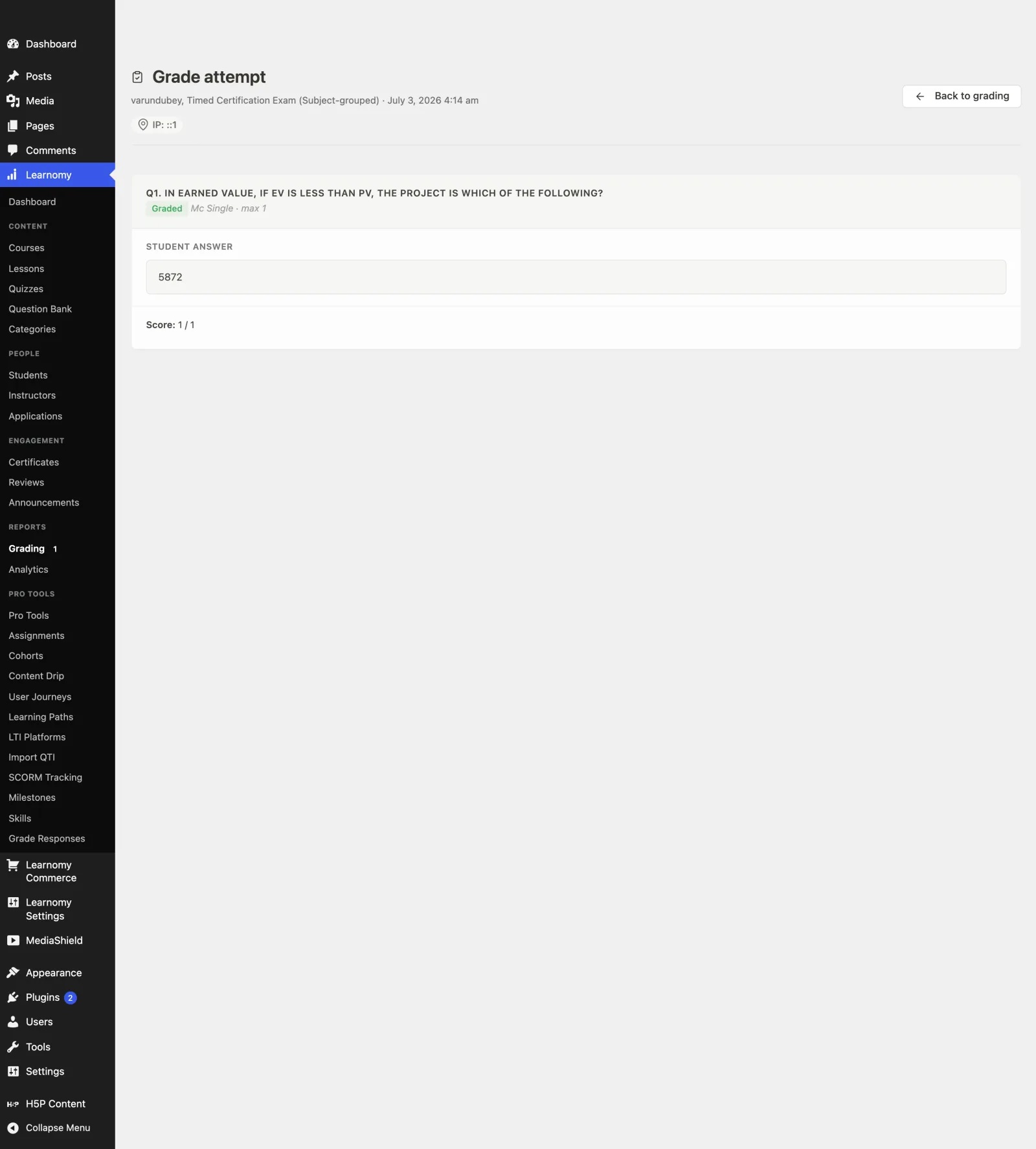
When you grade a quiz attempt, Learnomy shows a short integrity readout at the top of the Grade attempt screen. It gathers the honest-effort signals recorded during the exam - the tab-switch count, the submission IP address, and a late-submission signal - in one place so a suspicious attempt stands out while you review it. Every signal is advisory, not proof of misconduct.
What you can do#
- See how many times the student left the quiz tab during the attempt, shown right on the Grade attempt screen.
- Spot a flagged attempt at a glance: once the tab-switch count reaches the threshold the signal turns to a warning shield instead of a check.
- See the IP address the attempt was submitted from, so submissions from an unexpected location are visible.
- See a "submitted after the time limit" signal, with the number of minutes over, when a timed attempt came in late.
- Read a built-in reminder that these signals are advisory only and not proof of misconduct, so the readout is never mistaken for a verdict.
- Tune how many tab switches count as suspicious with a developer filter, or turn the flag styling off entirely.
How to use it#
- Go to Learnomy > Grading.
- Open a submitted attempt from the list to reach the Grade attempt screen.
- Read the integrity row directly under the student and quiz title. It shows up to three signals:
- IP: the address the attempt was submitted from. Always shown when an address was recorded.
- Tab switches: how many times the student left the quiz tab. Shown when tab tracking is on. A flagged count shows a warning shield; a count under the threshold shows a check shield.
- Submitted after the time limit: shown only for a timed attempt that came in late, with the minutes over.
- When a signal is flagged, a short line reminds you it is advisory only, not proof of misconduct. Treat it as a prompt to look closer, not as a decision.
- Grade the attempt as normal. The integrity row is context for your review - it does not change the score on its own.
The tab-switch count only appears when the tab-switch recorder is turned on. To turn it on and set the auto-submit limit, see Quiz Proctoring.
Settings & options#
The integrity readout has no settings of its own - it reads signals recorded during the exam. The one setting that controls whether the tab-switch signal appears lives on the Quiz settings tab:
| Setting | What it does |
|---|---|
Track Tab Switches (learnomy_settings[quiz_track_tabs]) |
When on, the tab-switch count is recorded on every attempt and the Tab switches signal appears on the Grade attempt screen. When off, that signal is hidden. |
Auto-submit after N tab switches (learnomy_settings[quiz_tab_switch_limit]) |
Optional. How many switches are allowed before the quiz submits itself. See Quiz Proctoring. Does not change the report, only the enforcement. |
The IP address and late-submission signals need no setting - they are recorded automatically. The IP is stored on the attempt (ip_address), and the late signal comes from the attempt's saved runner state (late_submission and seconds_over).
For developers#
Filter:
learnomy_tab_switch_flag_threshold- the switch count at or above which the tab-switch signal is flagged. Default3. Passed the threshold, the attempt row, and the quiz. Return0to disable the flag styling entirely (the count still shows, just never flagged).
Where the readout is assembled (Learnomy\Admin\Admin::render_quiz_grading_detail()):
Learnomy\Services\Quiz_Defaults::is_tab_tracking_enabled()- whether the tab-switch recorder is on; gates the Tab switches signal.$attempt->tab_switches- the recorded switch count.$attempt->ip_address- the submission IP shown in the readout.QuizAttempt::get_runner_state( $attempt_id )- returns the saved runner state;late_submissionandseconds_overdrive the late signal.
The signals render in includes/admin/views/quiz-grading-detail.php (the lrn-grading-meta header row).
REST:
POST /learnomy/v1/quiz-attempts/{id}/tab-switch- records a tab-switch event during the attempt; this is the count the readout later shows. Fired by the quiz player, not called by graders.