
Invite-Only Courses
Invite only is for a course where you add the students yourself. Nothing is shown for sale, there is no checkout, and nobody can enrol themselves. You put people in, one at a time or by CSV, and that is the only way in.
It is the model for internal training: a company teaching its own staff, a school running a class, an academy onboarding a client's team. Nobody in those situations is buying anything, and every price tag, Buy button and coupon field on the page is noise at best and a wrong promise at worst.
What you can do
- Run a course that is never purchasable and never self-enrollable, with every commerce affordance removed from the course page, the catalog card and the mobile buy bar.
- Add students directly under Course → Students, individually or by CSV.
- Keep the course listed or unlisted independently, using the course's own Visibility control.
How to use it
Step 1 -- pick the model
In the course editor, open Pricing & Access and choose Invite only (you add the students).
No price fields appear, and no URL fields appear either. That is deliberate: there is nothing to price and nowhere to link to.
Step 2 -- add your students
Go to Course → Students and add people by email, one at a time or by
uploading a CSV. They are enrolled with source=manual and no transaction is
created, because no money changed hands.
Step 3 -- tell them it exists
An invite-only course does not advertise itself. Send your students the course link, or point them at their dashboard, where the course appears once they are enrolled.
What a student sees
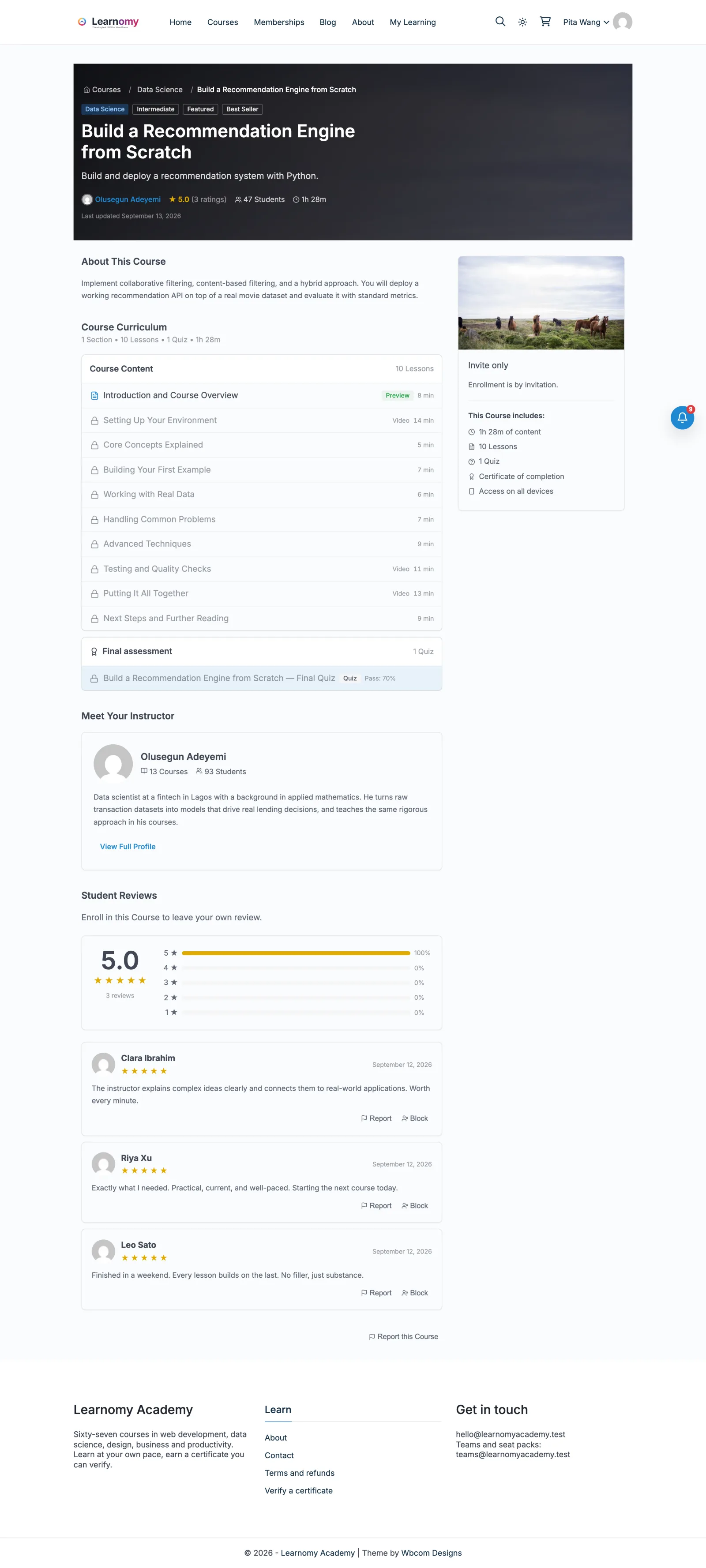
| Viewer | What the course page shows |
|---|---|
| Enrolled student | The normal course, with Start / Continue |
| Signed-in, not enrolled | Price reads "Invite only", and a note reads "Enrolment is by invitation." No Buy, no Enrol, no coupon field, no wishlist, and no "Lifetime access" line |
| Logged out | The same, subject to the course's Visibility setting |
The wishlist and the "Lifetime access" line are hidden on purpose. A wishlist means "I mean to take this later", which presumes the viewer could enrol at some point — on an invite-only course that action is never theirs to take. "Lifetime access" is a promise about what a purchase buys; here access lasts exactly as long as you leave it in place.
Invite only vs Closed
They are the same access rule — nobody may enrol themselves, nothing may be sold on-site, and the enrolment API answers 403 for both. They differ only in where the student comes from, and therefore in what the page should say.
| Closed | Invite only | |
|---|---|---|
| Where the sale happens | Somewhere else — your own checkout, Gumroad, a CRM | Nowhere; there is no sale |
| Optional external link | Yes — a button pointing at where it is sold | No; there is nothing to point at |
| Catalog card reads | External | Invite only |
| Typical use | Selling off-site, then granting access | Internal training, a class, a client team |
Pick Closed when someone can still buy the course, just not here. Pick Invite only when nobody buys it at all.
If you switch a course from Closed to Invite only, any external URL you set earlier stops being used — the course page and the mobile bar both ignore it, so a stale link cannot send your students off-site.
Settings and options
- Visibility is separate. Invite only controls how someone gets in; the course's Visibility control (Public / Unlisted / Private) controls who can see the page. An invite-only course can still be publicly listed if you want people to know the course exists and ask to join.
- No checkout, at any layer. The on-site checkout refuses an invite-only course, so a hand-built or bookmarked checkout URL cannot be used to buy one.
- Bulk enrolment still works, and so does the external-enrolment webhook if you would rather add students from another system.
For developers
Course::is_closed( $course )is true for bothclosedandinvite_only. It answers the access question — may a visitor enrol themselves, may this be sold, does the webhook manage it. Always ask it throughMODEL_ACCESS_MAP/access_for_model(); comparingpricing_modelto the literal'closed'returns the wrong answer for invite-only.Course::is_invite_only( $course )is the wording question, and the only place the two models differ.- The stored access type is
closedfor both, so anything already gating onaccess_typeneeds no change.