
Roles and Capabilities
Getting StartedLearnomy adds two roles on top of WordPress -- Student and Instructor -- and gates every action through a single permission check. New sign-ups become students automatically; instructors are approved by an admin. WordPress administrators always have full access.
What you can do#
- Let anyone who registers through Learnomy start as a Student with the right to enroll, learn, take quizzes, and leave reviews.
- Promote a member to Instructor by approving their application, which adds course authoring, quiz management, grading, and their own students and earnings.
- Keep full control with the WordPress Administrator, who has every Learnomy capability plus the site-wide settings.
- Rely on one permission gate for every action, so access is decided the same way across the frontend, the admin, and the API.
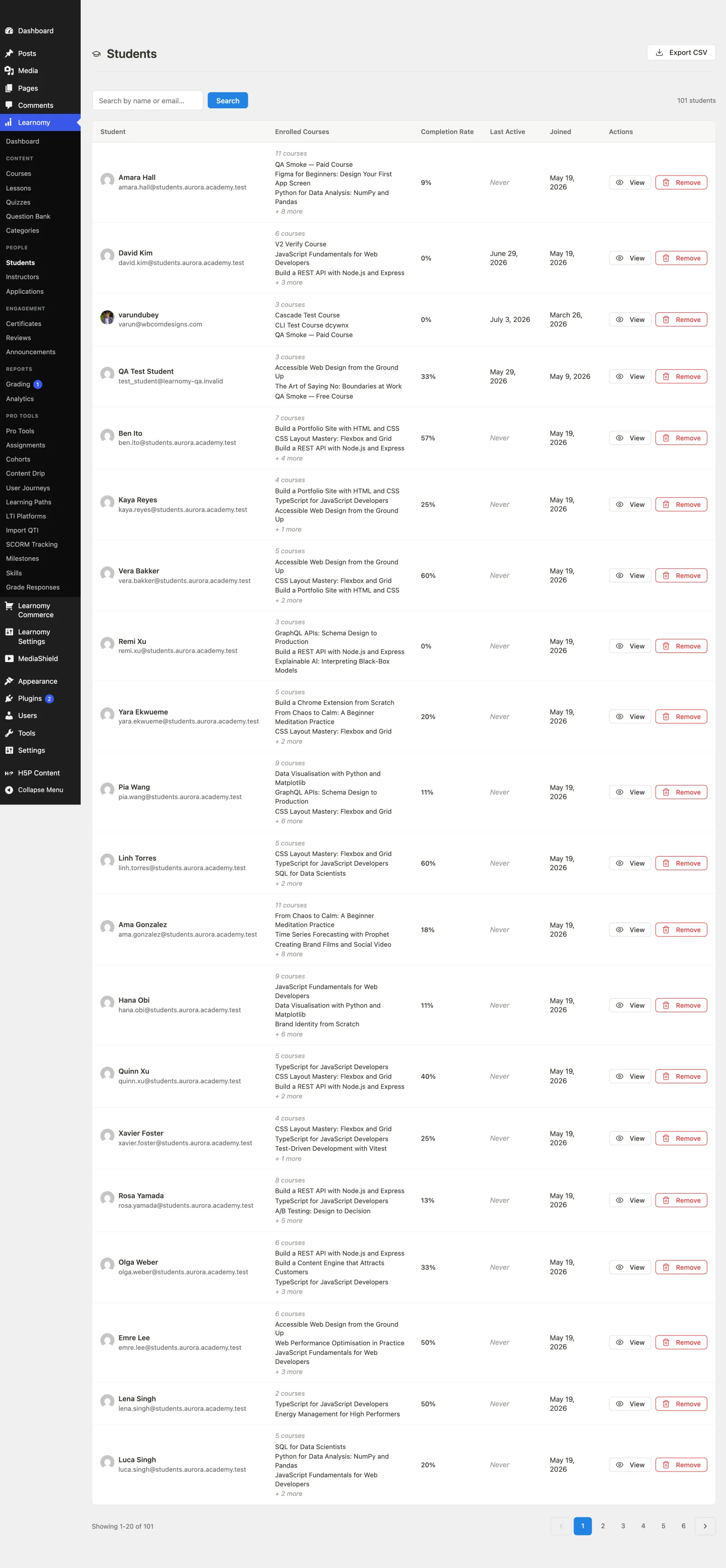
How to use it#
Students -- automatic on registration#
When someone registers through Learnomy they are assigned the Student (lrn_student) role immediately. They can browse the catalog, enroll, take lessons and quizzes, and review courses without any further setup.
Instructors -- admin-approved#
An instructor is not self-serve. A member applies to become an instructor, which creates an application for review. An admin approves it from Learnomy > Applications, and on approval the member gains the Instructor (lrn_instructor) role in addition to their student role. From then on they can create and manage their own courses, manage quizzes, grade submissions, and see their own students and earnings.
Administrators#
Any WordPress user with the Administrator role has every Learnomy capability, including the academy-wide settings, categories, certificate management, instructor approvals, and analytics. You do not assign Learnomy roles to admins -- their access is total by default.
Settings and options#
The three roles and what each can do:
| Role | Slug | How it is assigned | Can |
|---|---|---|---|
| Student | lrn_student |
Automatically, on Learnomy registration | Enroll in courses, learn (view lesson content), take quizzes, leave reviews, view courses |
| Instructor | lrn_instructor |
Admin approves an instructor application | Everything a student can, plus: create courses, manage their own courses, manage quizzes, grade submissions, view their own students, view their own earnings, and upload media |
| Administrator | WordPress administrator |
WordPress core role | Everything above, plus: manage settings, manage categories, manage users, manage certificates, approve instructors, and view analytics |
Notes:
- Instructor access is scoped to the instructor's own content -- for example, the grading inbox and earnings show only their own courses' data, not the whole site's.
- WordPress subscribers are also granted the student capabilities, so an existing subscriber can enroll and learn without a separate Learnomy account.
- Both Learnomy roles carry WordPress's baseline
readcapability, so dashboard, profile, and application flows behave like any other logged-in WordPress user.
For developers#
- Roles + capabilities: registered in
Learnomy\Permissions\Capabilities. Student caps:learnomy_enroll,learnomy_learn,learnomy_take_quiz,learnomy_leave_review,learnomy_view_courses. Instructor adds:learnomy_create_course,learnomy_manage_own_courses,learnomy_view_own_students,learnomy_view_own_earnings,learnomy_manage_quizzes,learnomy_grade,upload_files. Admin adds:learnomy_manage_settings,learnomy_manage_categories,learnomy_manage_users,learnomy_manage_certificates,learnomy_approve_instructor,learnomy_view_analytics. - The single gate: every access decision goes through
Learnomy\Permissions\Permission_Engine::can( $user_id, $action, $context_id ). It short-circuits to allow any user withmanage_options(administrators), otherwise maps the action to the matching WordPress capability. REST controllers call it in theirpermission_callback; nothing checks capabilities directly. - Role maintenance:
Capabilities::register()is idempotent and self-heals -- it re-applies any capability missing from an existing role on upgrade, so a role created on an older version still gains new caps.