
Subscriptions
Free & Pro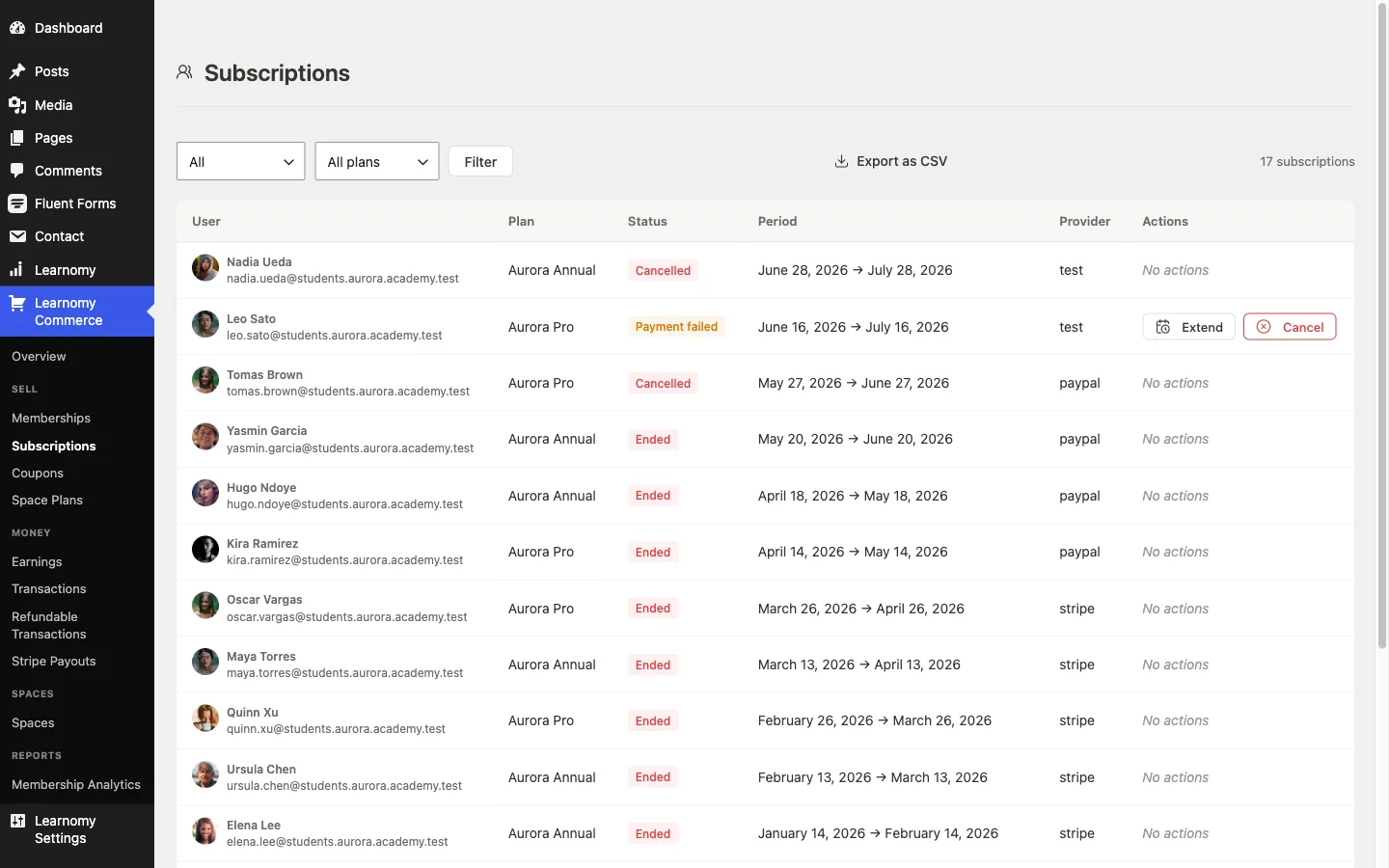
The Subscriptions screen shows every member subscription across all plans. You can filter by status or plan, cancel or extend a subscription on behalf of a member, and export the list as CSV.
Overview
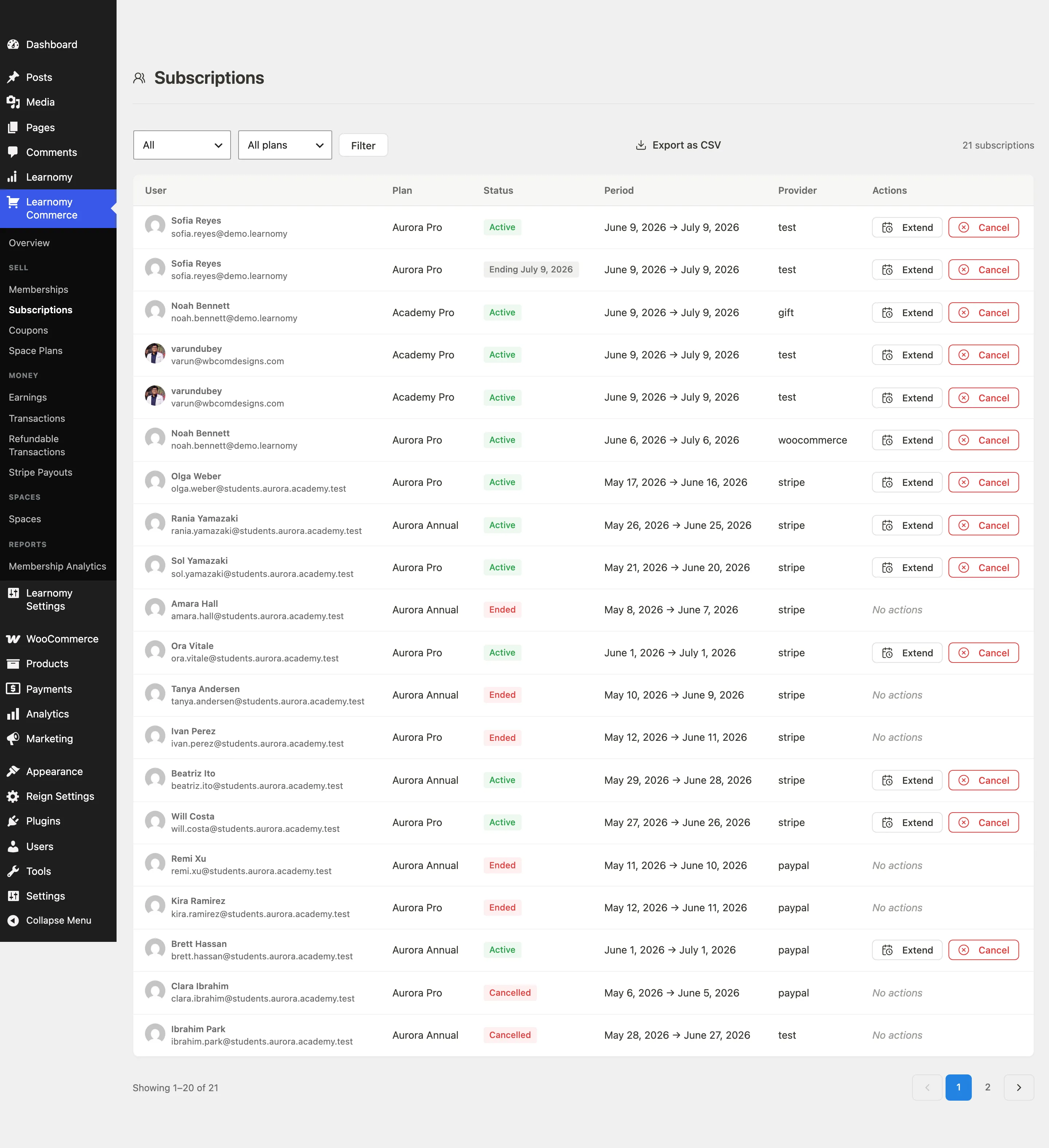
Go to LMS Commerce > Subscriptions. Each row represents one member's subscription to one plan, with its current billing status, period dates, payment provider, and available admin actions.
The subscriptions list
Columns
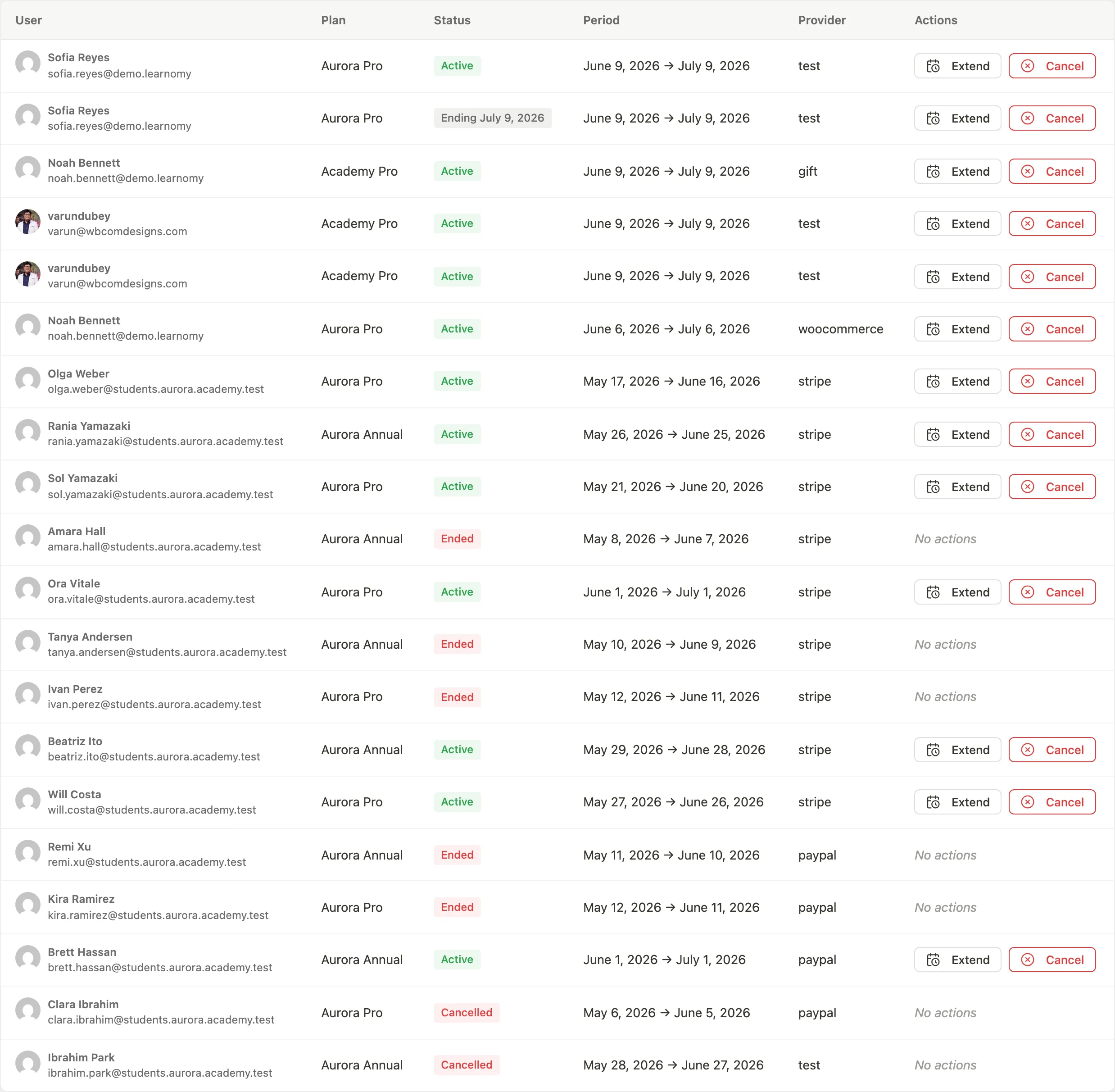
- User - avatar, display name (links to the subscription detail), and email address.
- Plan - the membership plan name. Shows "Deleted plan" if the plan has been removed.
- Status - the current subscription state (see below).
- Period - the start and end dates of the current billing cycle.
- Provider - which payment gateway processed the subscription (Stripe, PayPal, or WooCommerce).
- Actions - available admin actions for this row.
Status values
| Status label | Meaning |
|---|---|
| In trial | Free trial period is active; billing starts after the trial ends |
| Active | Subscription is paid and current |
| Payment failed | The most recent renewal charge failed; access continues for the grace period while the gateway retries |
| Ending soon | The subscriber has cancelled but access runs until the period end |
| Cancelled | Subscription was cancelled; access is revoked |
| Ended | The subscription expired at the end of a fixed period |
Filtering
Use the Status and Plan dropdowns to narrow the list. Click Filter to apply.

The Export as CSV button downloads all subscriptions matching the current filter. The file streams directly as a CSV (not a JSON-encoded cell).
Row actions
For Active, In trial, and Payment failed subscriptions:
- Extend - opens a date picker to move the period end forward. Use this to grant a goodwill extension. What it does to the renewal schedule depends on the gateway; see Extending a period.
- Cancel - cancels the subscription immediately. Access is revoked.
Cancelled and Ended subscriptions show no actions.
Grace period for failed payments
When a renewal payment fails, the subscription is marked Payment failed (past due) and the member keeps access for a grace period while the gateway retries the card. When the grace period runs out, the subscription is expired and access is revoked.
You set the length of that window in Learnomy Settings > Settings > Payments, in the Failed payments card:
| Field | What it is |
|---|---|
| Grace period | How many days a past-due member keeps access before it is revoked. Any whole number from 0 to 90. The default is 7 days, which is the behaviour every site had before this became a setting. Set it to 0 to cut access off as soon as the paid period ends. |
A member who cancels deliberately is not affected by this. They always keep access until the end of the period they paid for, with no grace on top.
Developers can override the value with the learnomy_subscription_grace_days filter.
Subscription detail
Click a subscriber's name in the list to open the full subscription detail page.
Subscription overview card
Shows status badge, plan name, amount per billing interval, current period dates, trial end date (if applicable), and whether the subscription is set to cancel at period end.
Subscriber and provider card
Shows the subscriber's name and email (linked to their student profile), the payment provider name, and the gateway's own subscription ID and price ID (for cross-referencing in Stripe or PayPal dashboards).
Extend period - a datetime input on this card lets you type a new period end time and click Extend period to apply it directly. See Extending a period for what this does to the gateway's renewal date.
Admin actions (header buttons)
- Resume - available when the subscription is past-due or has cancel-at-period-end set. Resumes billing and clears the cancel flag.
- Cancel at period end - marks the subscription to not renew. The member keeps access until the current period ends.
- Cancel now - immediately revokes access.
Payments history
A table of every renewal and initial payment linked to this subscription, showing date, transaction type, amount, and status.
Change history
Pro feature. Requires Learnomy Pro with the Membership Pro extension active.
Below the payments table, a Change history panel lists what has happened to this subscription that was not a payment. It exists so you can answer "why did my plan change", "when was I paused", or "who gave me this" from the screen the member is asking you about, instead of from the database.
Three columns, ordered by when each change was recorded rather than by the date shown, so a plan change scheduled for a future date sits with the day it was made:
| Column | Contents |
|---|---|
| Date | When the change took effect |
| Change | Plan changed, Paused, Resumed, Refunded, or Gift applied |
| Details | For a plan change, the plan it moved from and the plan it moved to. For a gift, the plan granted. Otherwise a dash. |
The panel shows up to the 50 most recent changes for this one subscription, and does not appear at all when nothing has happened to it yet - an empty "Change history" heading would read as a broken feature rather than a quiet one.
The member sees the same events for themselves under Billing history on their account billing page, so the two of you are reading the same record. See Certificates and Billing.
Payment retry attempts are not in this table. Those are dunning attempts, and today they are readable over the REST API only; see Subscription Lifecycle.
Extending a period
Extend moves the current period end forward. What happens next depends on which gateway the subscription is billed through:
- WooCommerce - the subscription's next payment date in WooCommerce moves with it, so the two screens agree about when the customer is next charged. This is deliberately forward-only: if the new end date is earlier than the existing next payment, WooCommerce is left alone. An extension can never bring a charge forward by accident.
- Stripe and PayPal - unchanged. The extension moves the period end on the Learnomy record only; the gateway keeps its own renewal date. Adjust the schedule in the Stripe or PayPal dashboard if you need the charge to move too.
On WooCommerce the push is silent when the two records do not line up (no WooCommerce Subscriptions extension, no linked WooCommerce subscription, or a WooCommerce subscription that is mapped to a different Learnomy subscription, including another one belonging to the same member). The Learnomy period is extended either way, so the member never loses the access you granted them.
How customers manage their own subscription
Members manage their subscriptions from Account > Manage membership at /membership/manage/.

The page shows each active plan with:
- Plan name and status badge (Active, In trial, Payment failed, Ending soon)
- Current period start and end dates
- Next renewal date and next payment amount
- Which gateway they pay through ("Billed via")
Status banners appear for trial reminders, payment failures, and pending cancellations.

Member actions available on the page:
- Cancel subscription - sets cancel-at-period-end. The member keeps access until the period ends.
- Update payment method - opens the payment provider's hosted portal to update card details (Stripe and PayPal only).
- Resume subscription - shown when the subscription is set to cancel at period end; removes the cancel flag.
🔶 Pro feature. Plan switching (upgrading or downgrading between plans with prorated credit) is available in Learnomy Pro's Membership Pro extension.
The included courses for each plan are listed below the plan details so members can see what they have access to.
A payment history table (invoices) appears at the bottom of each plan section.
Tips
- Cancelling from the admin side ("Cancel now") revokes access immediately, regardless of how much billing period remains. Use "Cancel at period end" for a graceful end.
- Extending a period moves the WooCommerce next payment date with it, but never earlier than it already was. On Stripe and PayPal the extension moves the Learnomy period end only, and the gateway's own renewal date is unchanged.
- A one-time (lifetime) membership has no period end and no renewal, so Extend has nothing to move on it.
- A subscription in "Payment failed" status keeps course access for the grace period set in Settings > Payments (7 days by default) while the gateway retries. If retries fail, the gateway transitions the subscription to cancelled, which Learnomy receives via webhook and updates the status here.
- The CSV export respects the active status and plan filter so you can export just past-due subscribers for a targeted follow-up.