
Course Access and Enrollment
Courses and ContentEnrollment is the record that a student has access to a course. Learnomy grants that access based on the course's access type (free, paid, membership, or both) and keeps one enrollment row per student, per course, per source, so a student who reaches a course through more than one path never loses access when one path ends.
What you can do#
- Let a signed-in student enrol in a free course with one click and no payment.
- Route paid and members-only courses to checkout or the membership page instead of a plain Enroll button, so nobody reaches a course without the access they paid for.
- Grant access by hand from the admin, either one student at a time or in bulk from a list of emails.
- Remove a student's access to a single course, or clear all of a student's enrollments at once.
- Let students leave a free course they joined themselves, while paid and membership access stays with their account.
- Require students to finish prerequisite courses before they can enrol.
- Keep membership access and a one-time purchase side by side on the same course, because each source is its own enrollment row.
- Have fixed-term (time-limited) enrollments expire automatically once their access window ends.
How to use it#
Step 1 -- set how the course is reached#
The Enroll button a student sees is driven by the course's access type. Edit the course, open the Pricing & Access section, and pick a pricing model. Free courses show an instant Enroll button; paid and members-only courses show a Buy or membership CTA instead. See Pricing and Access Models for the full model list.
Step 2 -- let students enrol themselves#
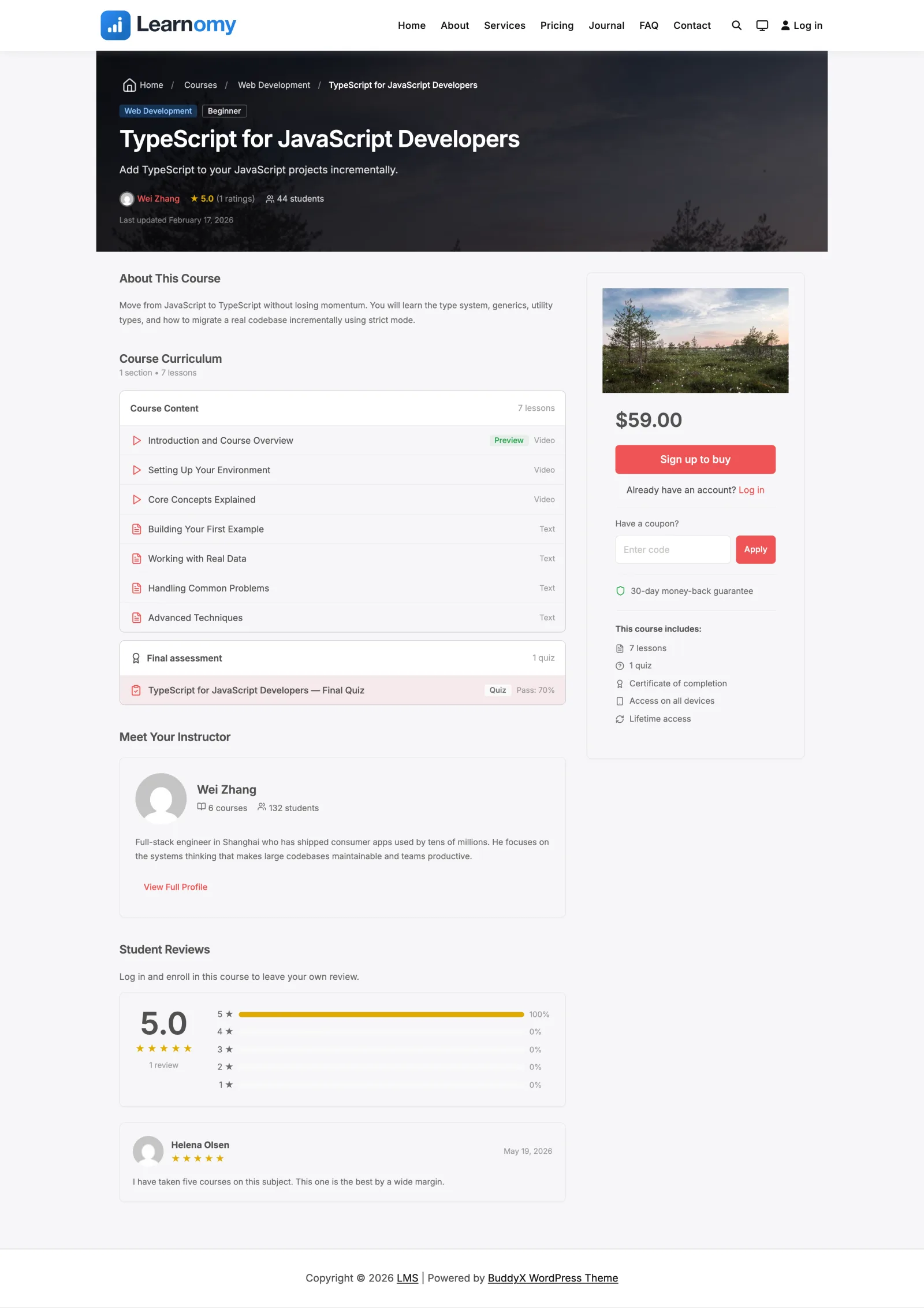
On the single course page (/courses/<slug>/) a student who is not yet enrolled sees the enroll card in the sidebar:
- Free course -- an Enroll Now button that enrols them instantly and drops them into the course.
- Paid course -- a Buy button that routes to checkout; the enrollment is created only after payment completes.
- Members-only course -- a link to the membership page; the enrollment is created from their active membership.
You can also drop an enroll button anywhere on the site with the shortcode [learnomy_enrollment_button course_id="123" text="Enroll Now"]. It renders the right CTA for the course and shows an "Already enrolled" state when the current user already has access.
Step 3 -- grant access by hand (admin)#
When you need to enrol someone yourself, open the course's overview page in wp-admin and use the Enroll a student control. Enter the student's email or username (there is no dropdown of every user, so it stays fast on large sites). This creates a manual-source enrollment. You can also enrol a student into a course from that student's detail page.
Step 4 -- enrol a list in bulk#
To onboard a group, use the course's bulk-enroll control and paste or upload a list of emails. Unknown emails are provisioned as new accounts with a set-password invite. The list is processed in chunks and capped per request so a large paste never times out. See Bulk Enroll from a List.
Step 5 -- remove access#
To revoke access, remove the student's enrollment from the Students screen. You can remove a single course enrollment, or clear every enrollment a student holds in one action.
The student disappears from the course roster immediately, the student count drops, and they lose access to the lessons. They are no longer counted in the course's average progress either.
The enrollment record itself is kept, marked cancelled. That record is what their quiz attempts, progress and certificates hang from, and on a paid course it is part of the history of the sale, so deleting it outright would erase things you may need later - a refund enquiry, a certificate someone asks you to confirm, or your own revenue records. Removing access stops the enrollment counting; it does not shred it.
If the same person enrolls again later, they get a new enrollment and start fresh. The old cancelled record stays where it is.
Step 6 -- let students leave on their own#
Students do not need you for a free course they joined themselves. The course page carries a Leave this course link that cancels their own enrollment, so routine "please take me off this" requests never reach your inbox.
Paid, membership and admin-granted enrollments are deliberately not
self-removable. Leaving a course someone paid for would forfeit their access
without refunding anything, and membership access ends with the membership, not
with a button on a course page. The rule lives in one place on the server, so
the link, the REST route and the mobile app all agree: the link is not rendered,
and a request to remove one of those rows is refused with a 403. Those
removals stay with you, on the Students screen, where you can pair them with a
refund.
Full student-facing walkthrough: Leaving a course.
Settings & options#
- Access type decides the enroll path per course (
free/paid/membership/paid_or_membership). The public enroll action never trusts a source sent by the browser; the server derives it from the course's access type plus the student's verified state (a completed transaction or an active membership). - Prerequisites -- when a course requires prerequisite courses, enrollment is refused until the student has completed them. Configure these in the course editor; see Course Prerequisites.
- Enrollment sources -- each enrollment carries a source:
free,purchase,membership,subscription,manual, orwebhook. The table is unique on(user_id, course_id, source), so a student can hold both a membership enrollment and a purchase enrollment on the same course without one overwriting the other. - Enrollment status --
active,completed,cancelled,expired, orpending. Fixed-term enrollments lose access the moment their end date passes, and are moved toexpiredby the hourly sweep afterwards. In between, the student already sees "Your access has ended" with a Renew button. - Completed -- a course counts as completed once the student has finished it, whatever happens to the enrollment later: a finished course whose term ended, or one reopened for a retake, still satisfies prerequisites, learning-path steps, skills and milestones.
- External enrollment -- courses set to the closed model are enrolled from an outside system through the incoming webhook. See Incoming Access Webhook.
For developers#
Service (Learnomy\Services\Enrollment_Service):
enroll( int $user_id, int $course_id, string $source = 'free', array $options = [] )-- the single write path; checks prerequisites, dedupes on source, returns the enrollment id or aWP_Error. Adapters call this directly with their own verified source.unenroll( int $enrollment_id )-- revokes one enrollment. This is a soft cancel: the row is set tocancelledand kept, so the attempts, progress, certificates and transaction that reference it stay intact.guard_self_unenroll( object $enrollment )-- the single home of the "who may leave" rule. Returns aWP_Error(403) for any enrollment whose source is notfree. The course page button, the REST route and thelearnomy/unenrollability all consult it, so they cannot drift apart. Callers who can manage the course are trusted and skip it.Enrollment::current_statuses()-- the single definition of "counts as enrolled" (active,completed). The roster, the count and the average progress all read it, so they cannot disagree about who is on a course. Filter it withlearnomy_enrollment_current_statusesif your site adds a lifecycle status of its own (paused,suspended) and needs to say whether it still counts.can_access( int $user_id, int $course_id )-- delegates toPermission_Engine::can( $user_id, 'access_course', $course_id ).retake( int $user_id, int $course_id )-- reopens a completed course when the per-courseallow_retakesetting is on.
Permissions and capabilities:
- Access decisions run through
Permission_Engine::can( $user_id, 'access_course', $course_id )-- never a direct capability check. - The
learnomy_can_access_coursefilter (result, user_id, course_id) lets add-ons override the access decision. - Self-enrollment requires the
learnomy_enrollcapability.
Hooks fired:
learnomy_access_granted-- ( enrollment_id, user_id, course_id, source ). Once per person when a student gains a course they did not have, including a re-join or restore. The outgoing webhook'senrollment.createdlistens here.learnomy_access_revoked-- ( enrollment_id, user_id, course_id, source, reason ). Once per person when the last thing giving the course ends;reasoniscancelledorexpired. Webhookenrollment.cancelled/enrollment.expired.learnomy_student_enrolled-- ( enrollment_id, user_id, course_id, source, reactivated ). When a student's first live row is written; notifications and lesson-unlock scheduling listen here.learnomy_student_unenrolled-- ( enrollment_id, user_id, course_id, access_remains ). Once per row that ends, the expiry sweep included.learnomy_enrollment_expired-- ( enrollment_id, user_id, course_id, access_remains ). Fired by the expiry sweep after the row hook, for existing listeners.learnomy_course_completed-- ( enrollment_id, user_id, course_id ).learnomy_course_retaken-- fired when a completed course is reopened.
REST (learnomy/v1):
POST /courses/{course_id}/enroll-- self-enroll for the logged-in user.sourceandplan_idare deliberately not accepted; the server derives the source. Paid or members-only courses without proof return402with acheckout_urlormembership_url.DELETE /enrollments/{id}-- unenroll a single row. A student calling this on their own row passes the self-unenroll guard only when the row's source isfree; anything else returns403. Anyone who can manage the course (its instructor, or an administrator) bypasses the guard and may remove any row.DELETE /students/{user_id}/enrollments-- remove every enrollment for a user (capmanage_settings).POST /admin/courses/{id}/enroll-- admin enrol by email/username (manual source).POST /admin/courses/{id}/bulk-enroll-- admin CSV/paste bulk enroll, capped bylearnomy_bulk_enroll_max.POST /admin/students/{id}/enroll-- admin enrol a student into a course from the student detail page.