
Question Map and Flag for Review
Quizzes and GradingOn a long exam the student needs a way to see where they are, jump to any question, and mark questions to come back to before they submit. Learnomy gives every quiz attempt a clickable question map, a flag-for-review marker on the current question, and a pre-submit review screen that catches anything unanswered or flagged. It is on for every quiz attempt with nothing to switch on.
What you can do#
- Let a student see, at a glance, which questions are answered, flagged, current, and not yet seen across a 50 or 150 question exam.
- Let a student jump straight to any question from a grid map instead of clicking Next dozens of times.
- Let a student flag a hard question and move on, then come back to every flagged question at the end.
- Catch mistakes before submit: the pre-submit review screen shows the count of unanswered and flagged questions and offers one-click jumps back to them.
- Keep flags and position through a resume: a flagged question is still flagged, and the map still shows it, when a student reopens an in-progress attempt.
- Keep timed exams honest: the map and jump actions only work when the quiz allows free navigation. Sequential quizzes hide them.
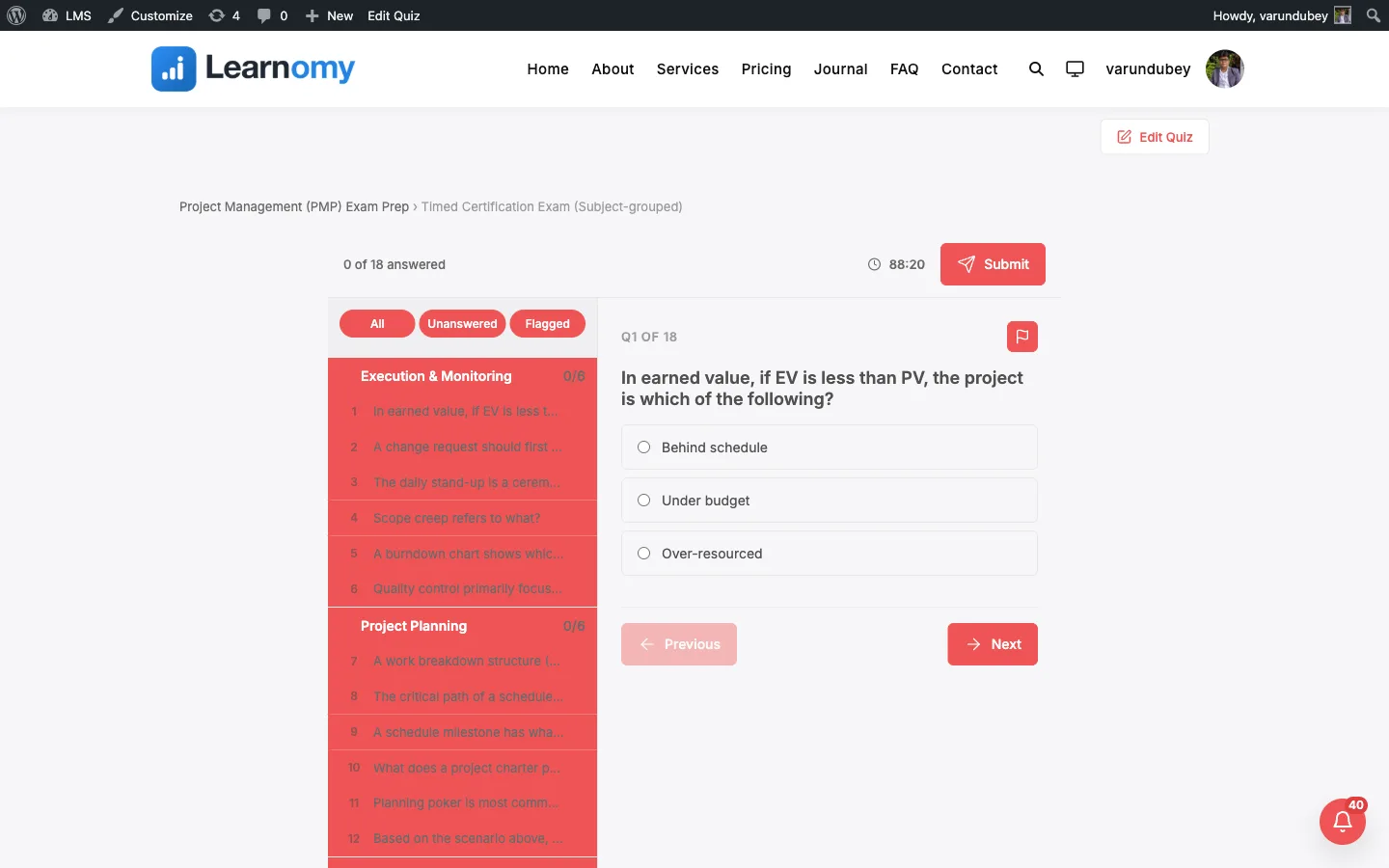
How to use it#
For students, there is nothing to turn on. It works like this:
- Start the quiz from the start screen and begin answering. A progress ring at the top of the player tracks how much of the exam is answered.
- Click the progress ring to open the question map. The map is a grid with one cell per question, numbered in order.
- Read the map by color using the legend above it: Answered, Flagged, Current, and Unseen. The cell you are on is marked current, and any question you flagged is marked flagged.
- Click any cell to jump straight to that question. The map closes and the player moves to it. Click the ring again at any time to reopen the map.
- To flag the question you are on, click the Flag for review button in the navigation row. The button switches to Flagged, and that question turns flagged on the map. Click it again to remove the flag.
- When you reach the end, if anything is still unanswered or flagged the pre-submit review screen opens instead of submitting straight away. It shows a summary line such as "3 unanswered - 2 flagged".
- From that screen, use Review unanswered to jump to the first unanswered question and Review flagged to jump to the first flagged question. Fix what you need to, then submit. A fully answered, unflagged attempt submits straight away with no review screen.
Flags and your place in the exam are saved as you work, so if you close the tab and reopen the same quiz, your flagged questions are still flagged and the map is intact. See Large-exam Autosave and Resume.
Settings and options#
The map and flags run automatically for every attempt, so there is no per-quiz "enable question map" checkbox. The behavior is shaped by settings you already configure on the quiz.
- Navigation (Free or Sequential, per quiz, on the quiz editor) - the map and jump actions require free navigation. In Sequential mode a student must move through questions in order, so the clickable map and the jump-back actions are disabled. See Building a Quiz.
- Display template (per quiz) - the focused (one question at a time) template is where the full question map, flag button, and pre-submit review screen appear. The classic all-on-one-page template shows its own category jump-nav instead. See Taking a Quiz.
- A question counts as answered on the map once it has a meaningful answer filled in. An empty or blank answer keeps the cell in the unseen or current state and counts toward the unanswered total on the pre-submit screen.
- Flags are advisory. They are the student's own working notes for navigation. They are never sent to the grader and never affect the score. Only the answers matter for grading.
For developers#
- State save endpoint:
POST /learnomy/v1/attempts/{attempt_id}/state- the player postscurrent_index,answers,flagged(an array of question ids), andremaininghere, debounced, so the map position and flags survive a resume. Stored for resume only, never used as a scoring source. - Start/resume payload:
POST /learnomy/v1/quizzes/{quiz_id}/startreturnsflaggedandcurrent_indexalongside the saved answers when an in-progress attempt is reopened, so the map and flag button restore to where the student left off. - Storage: the flag list lives in the reserved
lrn_quiz_attempts.saved_state_jsonfield (keys includeflagged,current_index, andanswers). There is no separate flags table and no migration. - The question map, flag state, and pre-submit summary are computed client-side in
assets/js/quiz-view.js(thequestionMap,flaggedCount,unansweredCount, andpreSubmitSummarygetters) and rendered bytemplates/quiz/focused.php. A theme can override the template attheme/learnomy/quiz/focused.php.