
Incoming Payment Webhook Log
The Payment Log page is a log of every inbound webhook delivery Learnomy received from Stripe or PayPal. It shows whether each delivery was handled successfully, rejected, or produced an error, and lets you replay any event without waiting for the payment provider to resend it.
Overview
Learnomy records every inbound webhook before processing it. This log is the primary debugging tool for payment and subscription issues. Go to Learnomy Settings > Payment Log in the admin sidebar.
Viewing the Event Log
Go to Learnomy Settings > Payment Log in the admin sidebar.
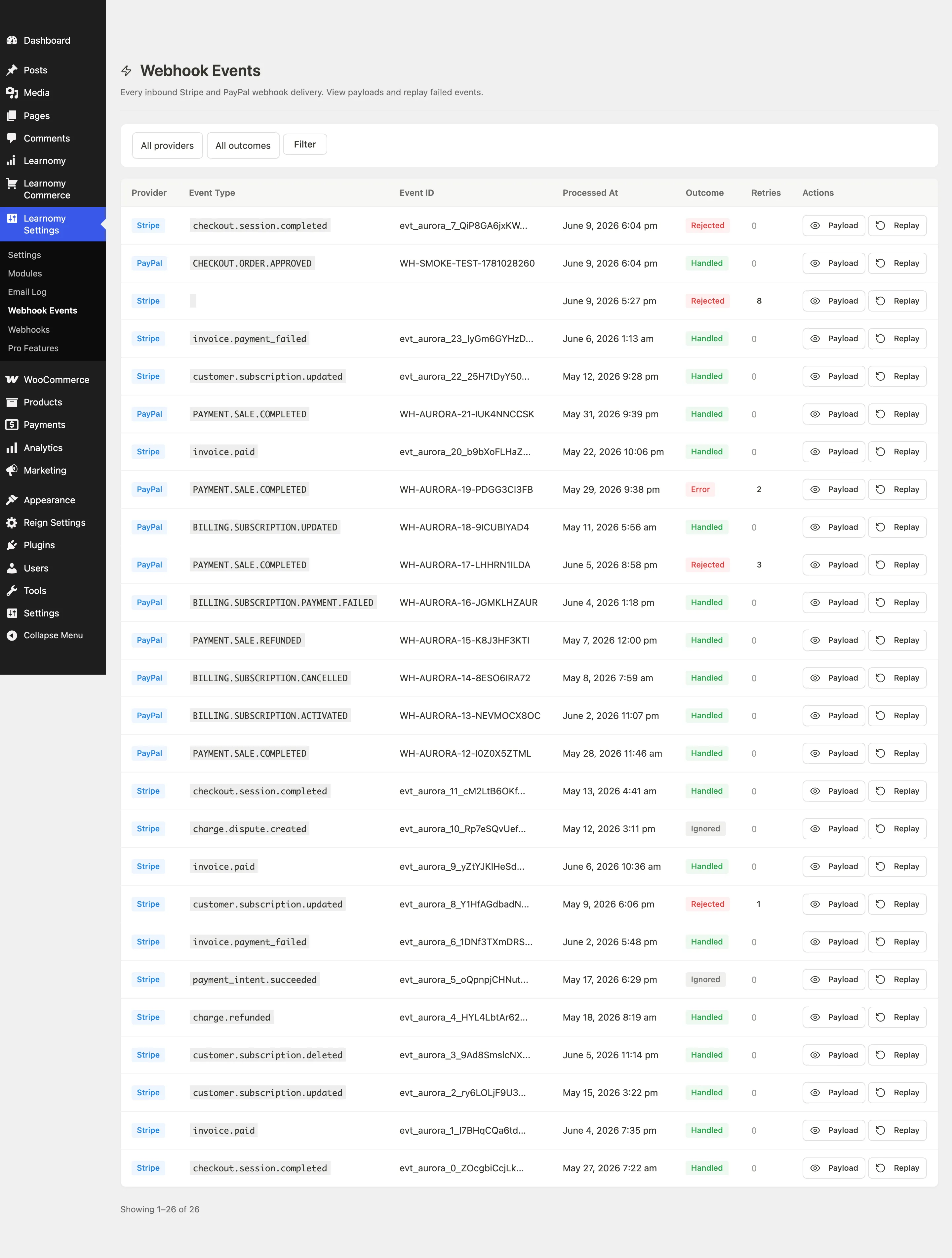
The page header confirms you are on the Payment Log screen.

The table shows the most recent 50 events. Use the pagination controls at the bottom to move between pages.
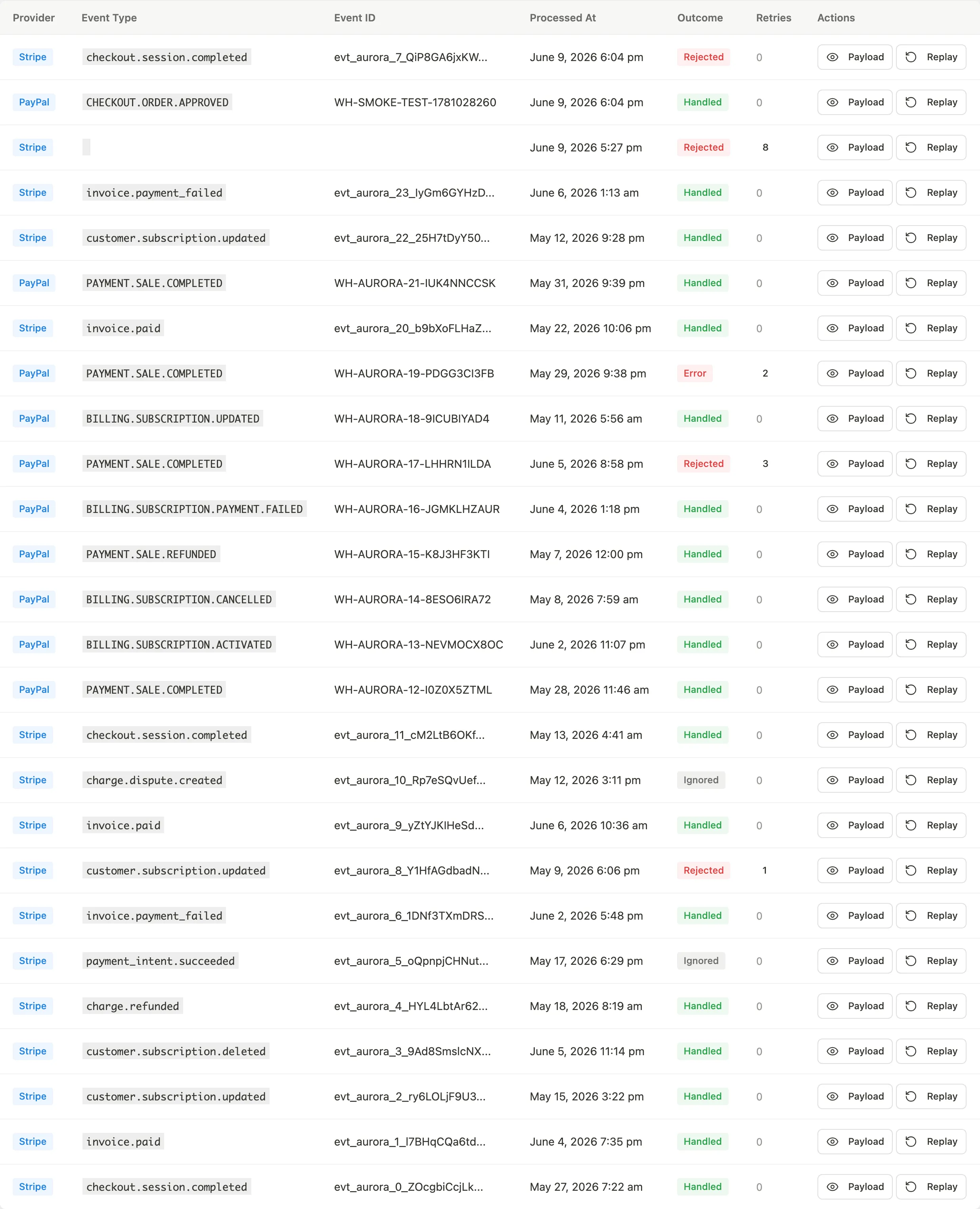
Column What it shows Provider Stripe or PayPal badge Event Type The raw event type slug from the provider (e.g. checkout.session.completed)Event ID The provider's unique event identifier, truncated to 24 characters. Hover to see the full ID. Processed At Date and time the event was received Outcome The result of processing (see below) Retries How many replay attempts have been made on this event Actions Payload and Replay buttons
Filtering Events
Use the filter bar above the table to narrow the list by provider or outcome.

- Provider: Show only Stripe events, only PayPal events, or all.
- Outcome: Filter to a specific result: Handled, Duplicate, Rejected, Error, or Pending.
Click Filter to apply the selections. Click Clear to remove active filters and return to the full list.
Outcome Values
| Outcome | Meaning |
|---|---|
| Handled | The event was processed successfully. Enrollment, subscription, or transaction records were created or updated as expected. |
| Duplicate | The event ID had already been processed. Learnomy uses a unique constraint on (provider, event_id) to guarantee idempotency, so this outcome is normal when a provider resends. |
| Rejected | The signature verification failed, the event type is not handled, or the payload was malformed. No data was changed. |
| Error | Processing started but an exception occurred. The enrollment, transaction, or subscription record may be incomplete. Replay to try again. |
| Pending | The event was logged but processing has not started yet. This is a transient state. |
Viewing a Payload
Find the event in the table.
Click Payload in the Actions column.
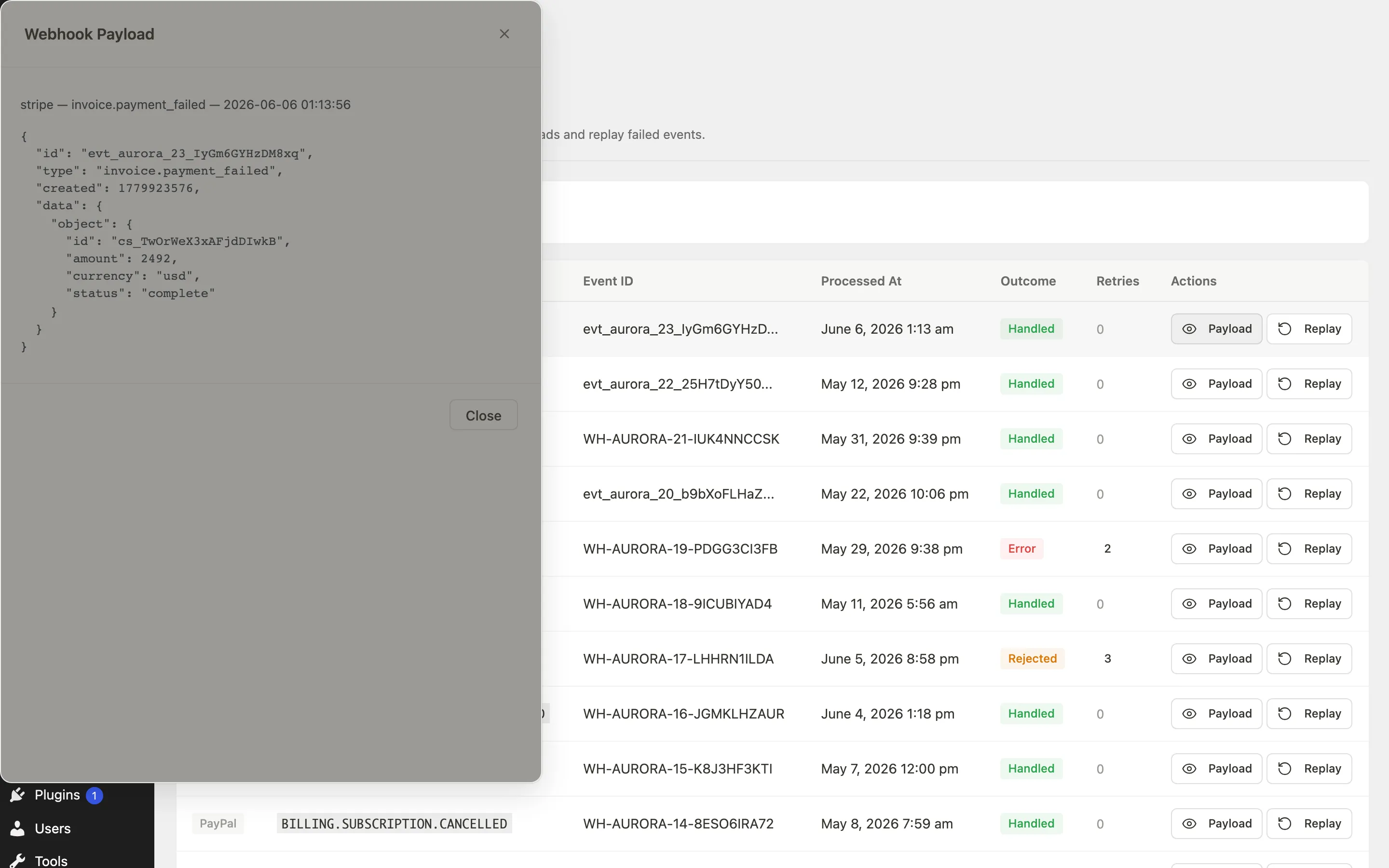
A modal opens showing the raw JSON payload from the provider.
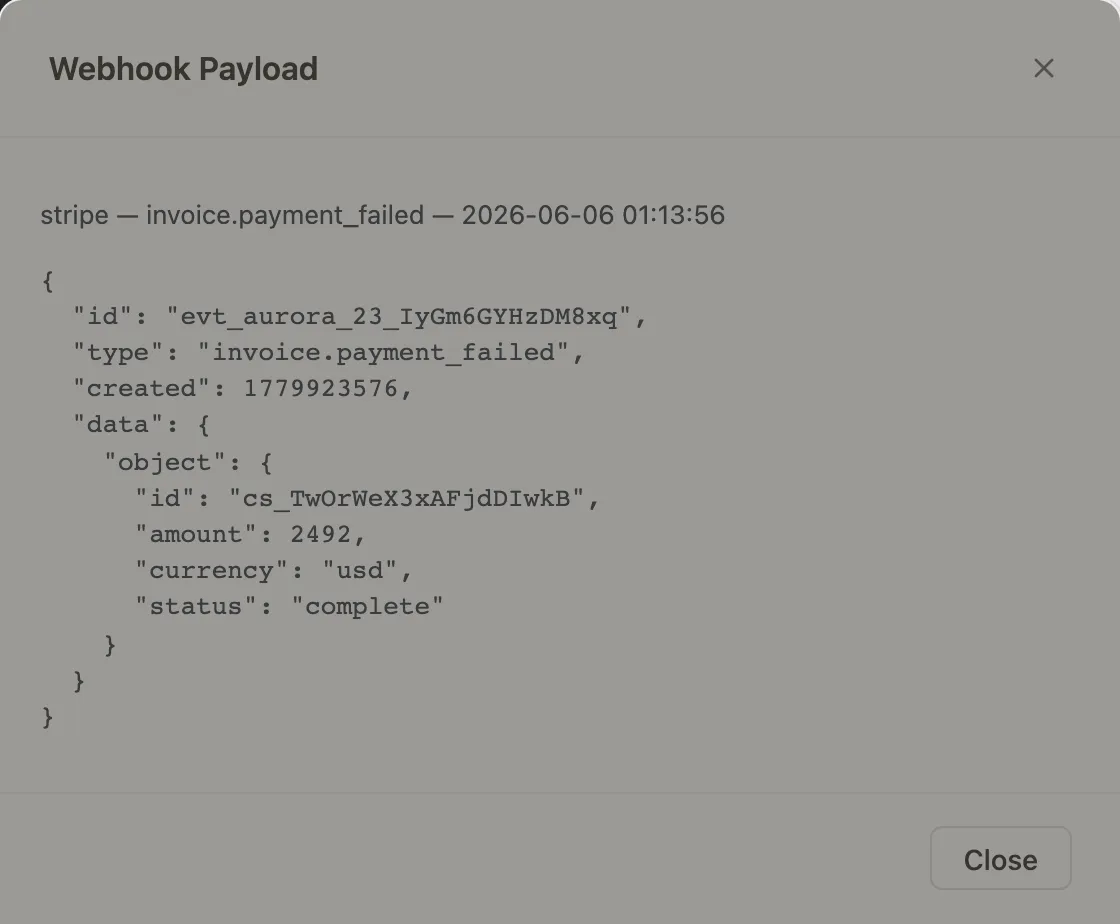
The modal also shows any error message if the outcome was Error. Press Escape or click the close button or the backdrop to dismiss it.
Replaying an Event
Use replay when an event ended in Error and you want to reprocess it without waiting for the provider to resend.
- Find the event in the table.
- Click Replay in the Actions column.
Learnomy deletes the original row (to bypass the idempotency guard), builds a synthetic request from the stored payload, dispatches it through the same adapter as the original, and returns the new outcome. If the event ends in Handled, the replay row replaces the original in the log. The Retries counter increments with each replay attempt.
If the replay surfaces a signature validation error alongside the new outcome, it means the webhook signing secret has been rotated at the provider since the original delivery. Update the signing secret in Learnomy Settings > Payments and replay again.
Tips
- Learnomy logs the raw payload before calling any processing logic. Even events with Rejected or Error outcomes have their full payload stored, so you can inspect exactly what the provider sent.
- The table is paginated at 50 rows per page. On high-volume sites, use the filters to narrow to Error outcomes before browsing.
- Duplicate outcomes are expected and healthy when a provider's retry schedule fires after you have already processed an event. No action is needed.
- If you see a large volume of Rejected events, verify that the webhook signing secret in Settings > Payments matches the one shown in your Stripe or PayPal dashboard. A mismatch causes every delivery to fail signature verification.