
Solo Academy Mode
Instructors and Earnings Free & ProSolo Academy mode turns Learnomy into a single-teacher academy. When you are the only instructor and never plan to recruit others, this one switch removes the entire instructor-marketplace surface (sign-up, commissions, and revenue-share) so your students and your admin menus only show what applies to you.
What you can do#
- Run the site as a one-teacher academy where you author and own every course.
- Hide the public instructor application page so visitors cannot apply to teach.
- Remove the commission, earnings, and withdrawal screens, which have no meaning when there is no split to pay out.
- Drop the co-instructor assignment control from the course editor.
- Clean up your admin sidebar by hiding the Instructors and Applications pages.
- Turn it all back off later with one toggle if you decide to open up to more instructors.
How to use it#
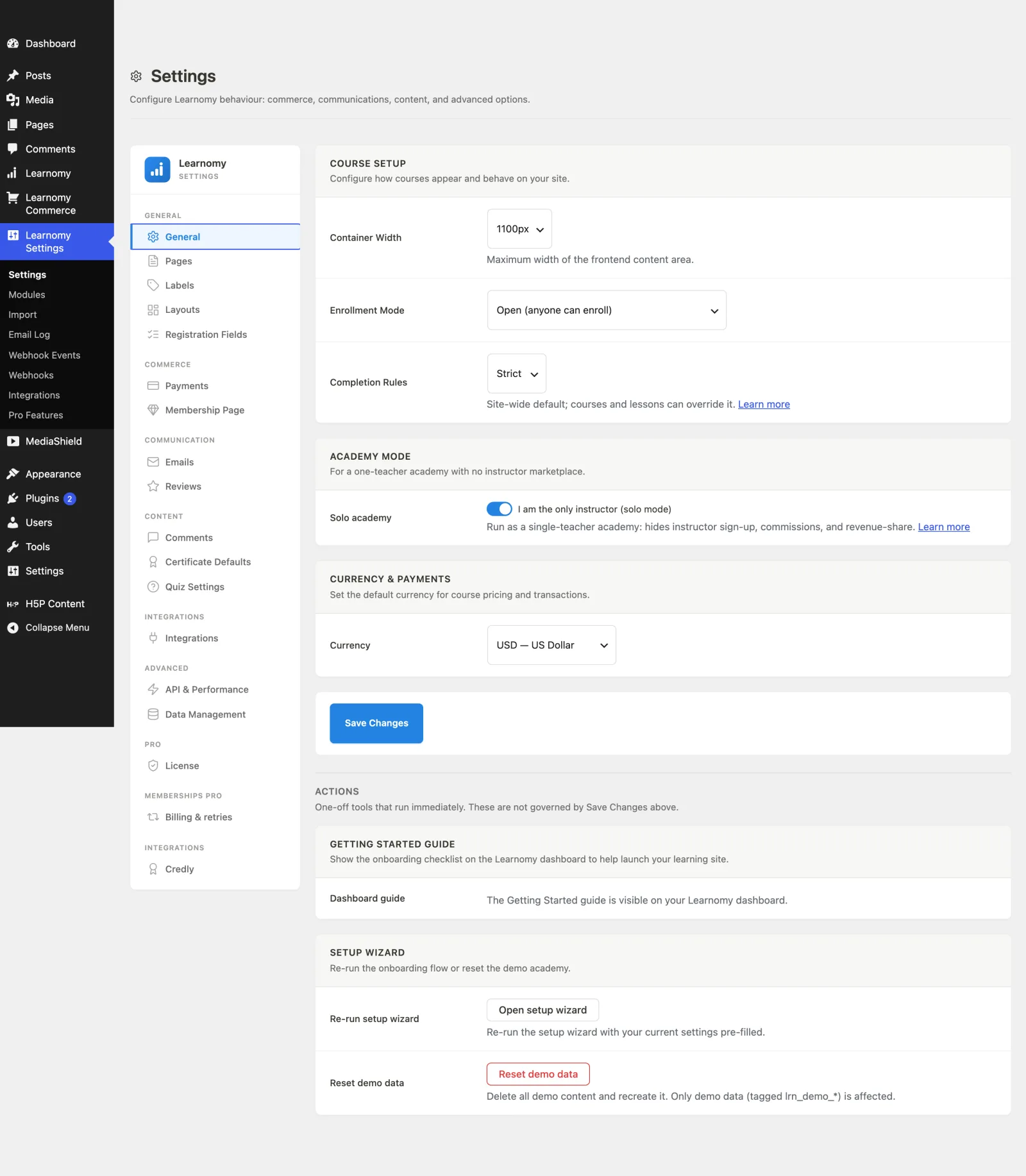
In wp-admin, go to Learnomy Settings > Settings (
?page=learnomy-settings). The page opens on the General section.Scroll to the Academy Mode card, described as "For a one-teacher academy with no instructor marketplace."
Turn on the Solo academy toggle, labelled I am the only instructor (solo mode).
Click Save Changes at the bottom of the section.
Once saved, Learnomy immediately:
- 404s the instructor application routes.
/become-instructor/and/register-instructor/stop resolving, and any nav-menu link you added to them is removed automatically so you never dead-link. - Turns the commissions module off. The whole earnings, commission, and withdrawal surface disappears from the frontend and admin. Your stored Modules settings are not changed; the module is simply forced off while solo mode is on.
- Hides co-instructor assignment. The course editor no longer offers to add a second instructor or split revenue.
- Hides the admin Instructors and Applications pages under the Learnomy menu, since there is no roster to manage and no applications can arrive.
To leave solo mode, switch the same toggle off and click Save Changes. The instructor application page, commission screens, and admin pages come back, and any commission module you had enabled before is honoured again.
Settings & options#
| Setting | Where | What it does |
|---|---|---|
| Solo academy toggle | Learnomy Settings > Settings > General > Academy Mode card | Stored as learnomy_settings[solo_mode]. Off by default. When on, it is the single master switch for everything above. |
The toggle drives three helper functions that the rest of the plugin reads:
solo_mode()- true when the toggle is on. Everything else keys off this.instructor_registration_enabled()- false in solo mode, which is what 404s thebecome-instructorandregister-instructorroutes and blocks instructor sign-up through the REST auth endpoint.multi_instructor_enabled()- forced false in solo mode, which is what hides co-instructor assignment and revenue-share (a solo academy has no second instructor to split with).
Solo mode only hides marketplace features. Courses, lessons, quizzes, certificates, students, memberships, and every other part of Learnomy work exactly as before.
For developers#
All three switches are filterable, so you can force the behavior per site (for example, in a must-use plugin) without touching the stored option:
learnomy_solo_mode(bool) - force solo mode on or off site-wide.learnomy_instructor_registration_enabled(bool) - override whether visitors may apply to become instructors. Defaults to the inverse ofsolo_mode().learnomy_multi_instructor_enabled(bool) - override whether co-instructors and revenue-share are offered.
Related internals: the commissions module is forced off through the learnomy_module_enabled filter, instructor route gating happens in Router::gate_module_routes(), and dead nav links are stripped via wp_nav_menu_objects. The helper functions live in includes/functions.php.